How I migrated from DigitalOcean to Hetzner
Why I traded a managed kubernetes cluster for a single rented computer running Docker, and cut my hosting bill by nearly 90 percent
By Dumebi ·
Start with a light switch
When you flip a switch on the wall, a little metal arm inside closes a gap, electricity flows, and the bulb lights up (assuming NEPA has not carried the light, but that is a whole different article if you are Nigerian). The switch does exactly one thing because it is so simple, it almost never breaks. You don't keep a spare electrician on call for your light switch.
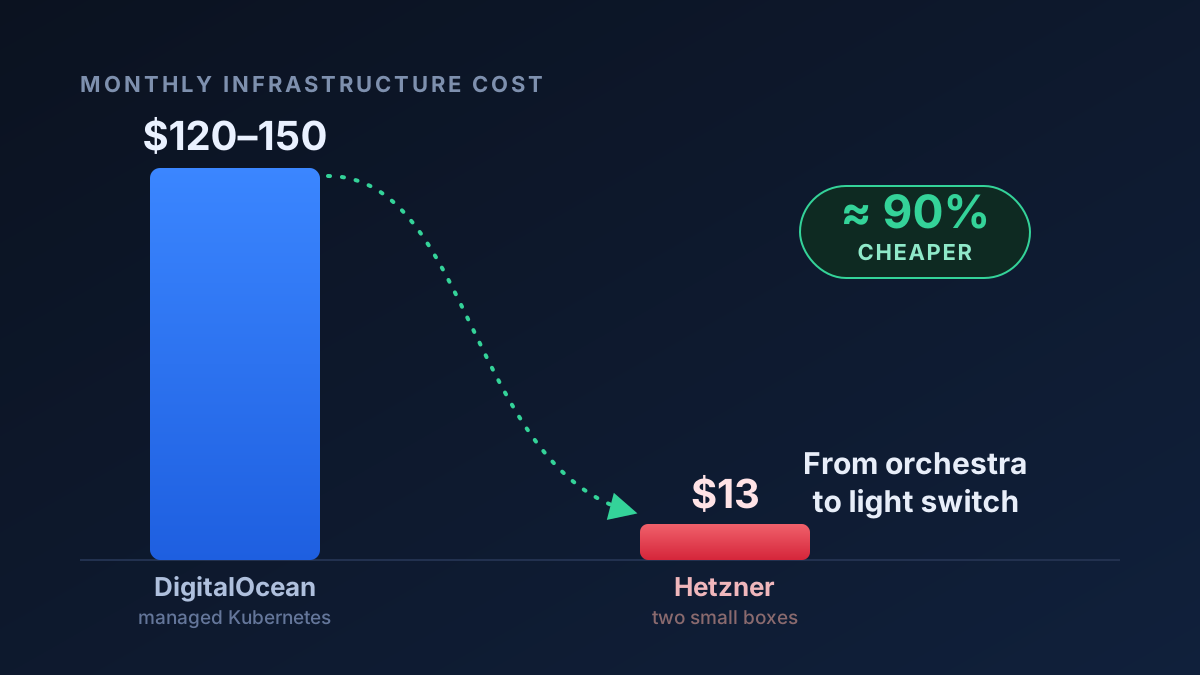
I want to hold that thought, that simple things rarely break, because it is the whole reason this article exists. For about two years I ran my projects on a setup that was the opposite of a light switch. It was clever, self-healing, automatically scaling, and it cost me somewhere between $120 and $150 every single month. Then I replaced it with something much closer to a light switch, and my bill dropped to about $13. That is nearly a 90 percent cut.
So let me walk you through what actually happened, one step at a time, because the interesting part isn't really the money. It's understanding what "putting a website on the internet" truly requires, and how much of what we pay for is machinery we don't even need.
What it means to put a website on the internet
Strip away every buzzword and a website is just a program running on a computer that is always switched on, plugged into the network, and willing to answer when a stranger's browser knocks on the door.
That's it. A computer that is always on and that answers the door.
You could actually run this on the laptop on your table. People do, albeit briefly. When you do that, you eventually run into some issues. For example, your laptop goes to sleep, your home internet has a wobbly address that keeps changing or your provider is MTN etc. Also, your electricity bill and your front door's security were never designed for the public internet. So instead, you rent a slice of a computer in a data center somewhere. It is a machine that is professionally cooled, professionally connected, and given a fixed address so the world can always find it. I hope this simple breakdown is easy to understand.
That rented computer is called a server. Not because it is some special species of machine. A server is just an ordinary computer doing the job of answering requests. The word describes the role, the way "doorman" describes a job and not a kind of person.
So far, so simple: rent a computer, run your program on it, point your domain name at its address. For a small project, that is genuinely all you need. Everything past this point is something we added to meet certain needs and while those needs might be valid, they are not always needed. The story of my migration is really the story of removing those additions.
The first complication: shipping the program cleanly
Here is the first honest wrinkle. A program rarely runs alone. It needs a specific version of a language, a handful of libraries, maybe a particular system tool. Get one of those wrong on the server and the thing that ran perfectly on your laptop just falls over in production. Anyone who has ever muttered "but it works on my machine" to a PDM has met this issue.
The fix the industry settled on is the container. Picture a shipping container at a port. The genius of the steel shipping box isn't the box itself. It's that every crane, every truck, every ship agrees to handle a box of that exact shape, no matter what's inside. The cargo and the handling are separated.
A software container is the same trick. You take your program plus the exact language version, the exact libraries, the exact settings, and you seal them into one standard bundle. The server doesn't need to know or care what's inside. It just needs to know how to run a container. The tool that does this is Docker, and the bundle it runs is an image.
This is a genuinely good idea, and I kept it through the entire migration. Containers were never the problem. What happened next was.
The second complication: the orchestra conductor
Once you have containers, some ambitious questions appear. Remember those needs I spoke about earlier? What if one server isn't enough? What if a server crashes at 3 a.m. while you're fast asleep? What if traffic suddenly spikes and you need five copies of your program instead of one, then back down to one an hour later?
The answer the industry built is Kubernetes (or k8s because the letters between k and s is literally eight lol. I think someone had fun with that), and a managed flavor of it is exactly what I was paying for, in the form of DigitalOcean's Kubernetes service.
Think of Kubernetes as a conductor standing in front of an orchestra of servers. You don't tell each musician what to play. You hand the conductor a score ("I want three copies of this program running at all times") and the conductor makes it so. A server dies? The conductor restarts that program somewhere else. Traffic surges? The conductor can rent more servers, spread the load, then give them back. It is, honestly, a marvel of engineering.
But a conductor only earns their keep in front of a real orchestra. Stand a world-class conductor in front of a single kazoo player and you haven't built a symphony. You've just added an expensive person who waves their arms.
That was my situation, and it took actually looking at the numbers to see it clearly.
Counting the kazoo
When I added up what my programs actually used, not what I'd provisioned but the real usage, the whole lot wanted roughly half of one CPU core and under a gigabyte of memory. The entire thing, both of my apps, their background workers, and a cache, would fit comfortably on a single small machine with room to spare.
So where was the $120 to $150 going? Almost none of it was going to my software. It was going to the orchestra-conductor machinery:
Two control planes. Each Kubernetes cluster carries a brain that does the conducting, plus the overhead that brain demands on every single worker machine. I had two clusters, one for production and one for staging, and each one was paying that tax.
Per-machine overhead, paid over and over. Every worker node had to run a set of background system programs just to participate in the cluster: networking agents, monitoring agents, bridges. On the tiny machines I'd chosen, this fixed overhead was eating half to three-quarters of each machine before my code ran a single line. And because it's charged per machine, five small machines waste it five times over. (I learned this one painfully when production pods simply refused to start one day. Every node was saturated by overhead, and the one free node was still booting. The cluster was full of conductor and had no room left for music.)
Two load balancers. A load balancer is like a traffic cop (ọlọpa) that splits incoming requests across multiple copies of your program. They cost about $12 each per month. I was renting two of them, to direct traffic to programs that mostly ran as a single copy. A traffic cop for a one-lane road lol 😭.
A managed database, billed as a premium service, holding an amount of data that would barely fill a few photos.
I was paying for high availability, automatic failover, and elastic scaling, which is a fire brigade, a backup generator, and a standing army, for a project whose traffic a single modest computer could serve while half-asleep. The resilience was real. I just wasn't using any of it.
Back to the light switch
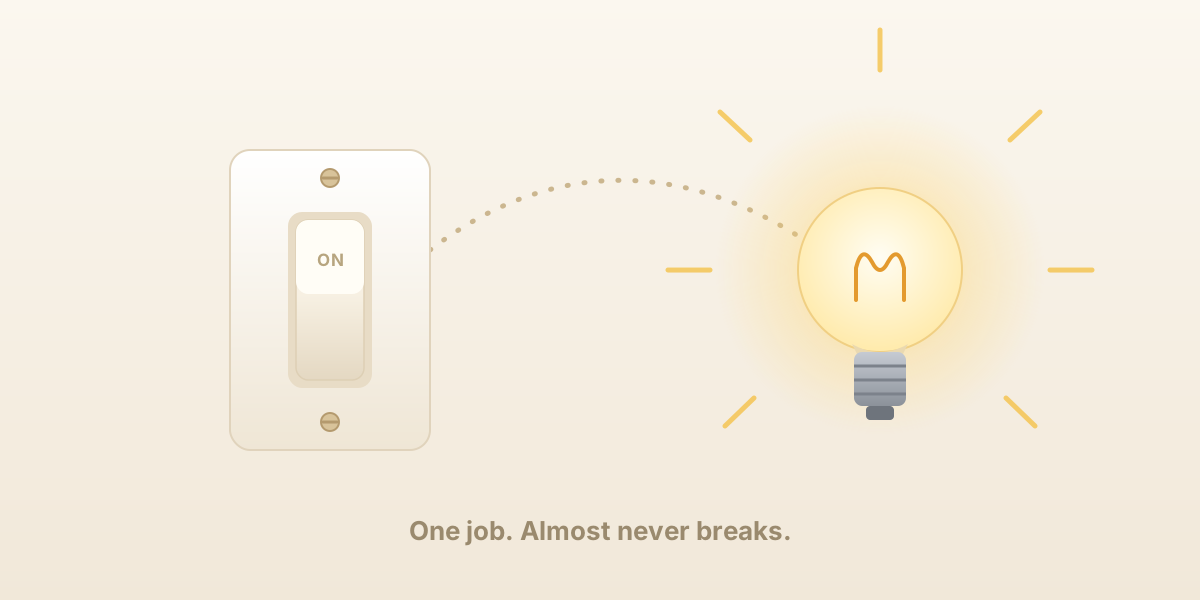
So I went back to the simplest thing that could possibly work, which turned out to be a pattern I was already running successfully on another project.
The new setup, for everything, is two (2) rented computers from Hetzner, a German host whose prices are remarkably low. One runs production. One runs staging (and a code sandbox I'll write about separately). That's the whole orchestra: two musicians, no conductor.
On each box, three plain ideas replace the entire Kubernetes apparatus:
Docker Compose instead of the conductor. Compose is a single text file that says, "run these containers together on this one machine." No cluster, no control plane, no conductor waving arms, just a list. My database, my cache, my apps, and the web front door, all described in one file, all on one box. When I want to update a piece, I rebuild that one container. The trade is honest and I'll come back to it: there's no conductor to restart things if the whole box dies.
Caddy instead of the load balancers and the certificate machinery. Caddy is a small web server that sits right at the front door. It listens on the public ports, and it routes (directs) each incoming request to the right container behind it: this domain to the app, that domain to the staging app. Its quiet magic is that it gets and renews the little HTTPS security certificates (the thing that puts the padlock in your browser's address bar) completely automatically. The old setup needed a dedicated piece of software just to manage those certificates. Caddy just does it, silently, for free!
A database container instead of a managed service. My database now runs as just another container on the box, talking to my app over the machine's internal wiring, which as a bonus is faster, because they're on the same computer rather than across the network. It listens only on the machine's internal loopback, never to the public internet, so a stranger can't even attempt to knock on the database's door (hopefully 😅).
There's a fourth quiet piece that ties it all together. The secrets (passwords, keys, the sensitive settings) stay encrypted right inside the project's files, scrambled with a tool called dotenvx. The only plaintext secret that ever touches a box is the single key that unscrambles the rest, and I hand-carry that over a secure copy rather than committing it anywhere. The configuration travels with the code, and only the one master key travels separately.
Moving the furniture in without dropping the china
The one genuinely delicate part of any migration is the data. For code you can rebuild from scratch. A database full of real records however you cannot.
The move itself is conceptually simple: take a snapshot of the old database with a pg_dump, which is essentially a complete written transcript of everything in it, carry that file over to the new box, and replay it into the fresh database container. Pour the contents from the old jug into the new one.
Two small things bit me, and they're worth knowing because they bite everyone. The first thing is that the tool that writes the transcript has to be at least as new as the database it's reading. A newer reader can always read an older database, never the reverse, and the mismatch produces a baffling error until you understand it. I solved it by detecting the old database's version and running the snapshot tool from a container of that exact version, that way a mismatch becomes impossible. The second thing is the old database, and the new one had different administrator names, so I had to tell the restore to ignore the old ownership labels and simply re-own everything under the new box's account.
There was also a sharp edge specific to my app: its database setup steps were incremental, it was built to layer changes on top of an existing structure i.e. over time we had run migrations on the database for example to add a new column to a table or to add an index etc. and an early migration layer had been squashed away over time. Which means a brand-new empty database could not build itself up from nothing. It would die looking for a structure that no longer had instructions to create it. The restored snapshot was that foundation. So, the order was non-negotiable: restore the data first, then start the app. Start the app against an empty database and it falls flat on its face.
Don't trust a safety net you've never jumped into
Giving up the managed database meant giving up its automatic backups. So, I built my own, and this is the part I'd honestly urge anyone to copy.
Every night, a scheduled task (cronjob) takes a fresh snapshot of the database, compresses it, and streams it straight up to cloud storage. I used Cloudflare's R2, because pulling your data back out of it is free, which matters precisely on the day you're in a panic trying to restore. The snapshot is taken inside the database container, so its version always matches. Nothing is ever left sitting on the box's own disk. A retention rule quietly deletes anything older than thirty days, that way it never piles up.
And then the rule I live by a backup you have never restored is not a backup, it's a hope. So, part of the routine is actually pouring a recent backup into a scratch database and confirming everything is really there. An untested backup is a parachute you've never unpacked. You do not want to discover the hole in it on the way down.
Being honest about what I gave up
I'd be lying if I told you this was free of cost. It isn't a free lunch. It's a different lunch, and you should order it with your eyes wide open!
I gave up self-healing and failover. If my single production box reboots, for a kernel update or because the hardware hiccups, my production would actually go down for those few minutes. There's no conductor to shuffle my program onto a healthy machine, because there's only one machine. With a single copy of the app running, even a routine deploy is a blip of a few seconds while the new container takes over from the old.
I gave up effortless scaling. If my traffic genuinely exploded, I couldn't summon five machines with a shrug. I'd have to resize the box or eventually go back toward something cluster shaped. The good news is that the bursty work in my app is the kind that piles into a queue and gets worked off steadily, so it is slower under load but never dropped. A single box absorbs spikes gracefully rather than toppling over.
I took on the host's chores. Patching the operating system, watching the memory, keeping an eye on the disk: that's my job now, not a managed service's. I point a free uptime monitor at the health-check endpoint, so I hear about trouble before my users do.
So when would I tell you to keep the conductor and the whole orchestra? When you have paying customers with uptime guarantees written into a contract. When your traffic genuinely spikes hard enough to need elastic scaling. When you have a team for whom an hour of engineer time costs more than a month of managed infrastructure. Those are real situations, and Kubernetes earns every single penny in them.
None of them were my situation though. I was a single person running side projects with patient traffic, paying enterprise prices for enterprise resilience I never once touched. The light switch was the honest answer all along.
The orchestra was magnificent, no doubt. But I only ever needed someone to play one clear note, and it turns out a single small computer, running a few plain containers behind an automatic front door, plays that note beautifully, for about a tenth of the price. I hope this is helpful to someone 🙂.
For which of you, intending to build a tower, sitteth not down first, and counteth the cost, whether he have sufficient to finish it? - Luke 14:28