The Robot at the Keyboard: Letting Claude Code Test My App in a Real Browser
I handed my running app to Claude Code and watched it click through every screen in a real Chrome window. Including the part where it lied to me.
By Dumebi ·
There are two (2) ways to know whether a door is really locked. You can study the lock mechanism, trace the bolt in your head, and conclude that it is locked. Or you can walk up and try the handle.
Both are useful, but they are not the same, and the second one has a way of humbling the first. Plenty of doors that "should" be locked swing right open when you actually pull or push.
For most of the history of software testing, we have been stuck doing the first kind. We reason about our code, and when we automate a test, we write a little script of exact instructions: click the button at this spot, type this word, expect that result. It works, until someone moves the button one pixel, and then the whole script falls over like a tower of dominoes. It is careful, and it is brittle, and it never actually tries the handle the way a real person would.
This is a story about the other kind. A few days ago, I handed my running app to an AI and told it to go try every handle. Not to write test scripts. To actually sit at the keyboard, open a browser, and use the thing. Stay with me, because it got weird in a couple of genuinely instructive ways. 🙂
What Claude Code even is
Let me set the scene for anyone who has not met it. Claude Code is an AI coding assistant that lives in your terminal, the plain text window where programmers type commands. You talk to it in normal English, and it can read your files, write new ones, run commands, and generally act like a very fast junior engineer who has read your whole codebase over the weekend.
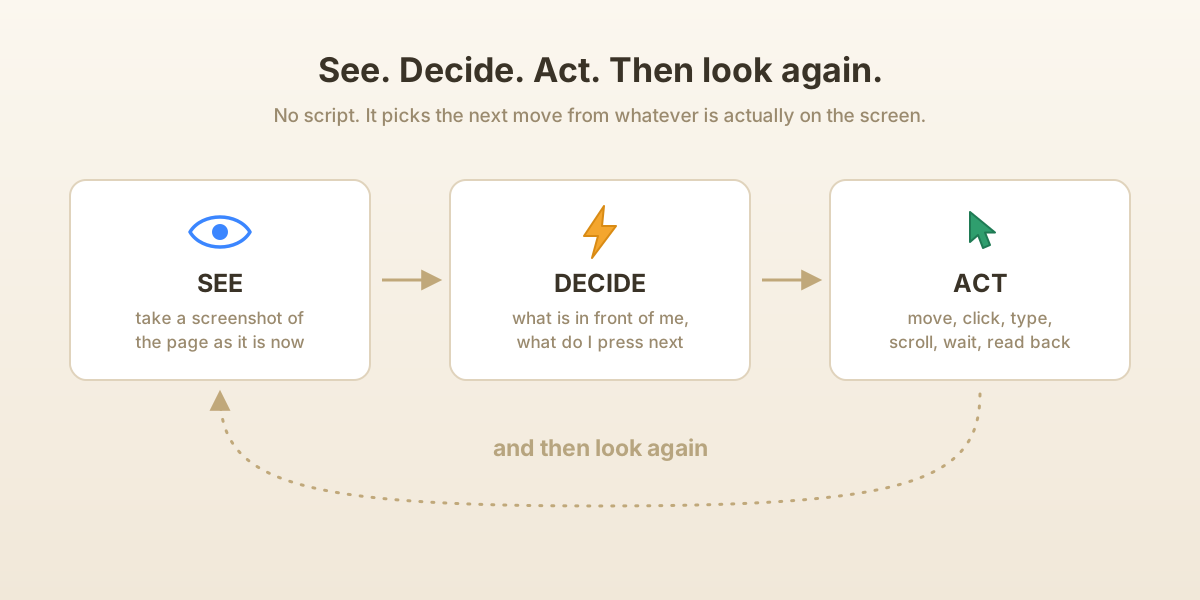
That part is now fairly well known. The part that surprised me is that it can also open and navigate a real web browser. Not a pretend one, an actual Chrome window on my laptop. It can take a screenshot to see what is on the page, decide where to click, move the mouse there, click, type into boxes, scroll, and read the text back off the screen. It sees, it decides, it acts, and then it looks again to see what happened. That loop, look then act then look again, is the whole trick, and it is exactly what you do when you use an app.
So instead of writing a script that says, "click coordinate 384, 620," I could just say: here is dev environment of Ofuma.ai, my LLM-operations platform, running on my laptop. Go test it. Try to break it. And it would do exactly that.
Trying the handles, one by one
Here is what that actually looked like, and I want to keep it concrete because the concreteness is the point.
It opened a browser tab in Google chrome and navigated to the local copy of my app running. It then went to the prompt playground in the app, the page where you run a prompt against a model. It typed a real question into the box, opened the model picker, chose one, and pressed execute. Then it waited, watched the spinner, and read the answer back off the screen when it arrived: a real reply from a real model, with the token count and the cost sitting right there. It had not simulated a test. It had run one.
Then it went to the chain builder, the part of Ofuma where you wire little boxes together into a flow. This is the fiddly stuff: you drag a box onto the canvas, drag a line from one box's edge to another's, drop boxes inside a loop container so they run over and over. It dragged the boxes. It connected them. It nested them inside each other. It pressed run and read the result. It even walked a release all the way through its life, create, check, approve, deploy, and then deliberately tried an impossible rollback just to watch it fail properly.
None of this was scripted in advance. At each step it took a screenshot, saw the current state, and decided the next move, the same way you would if you had never seen the screen before. When a button was not where it expected, it looked again and adjusted. That adaptability is the thing a brittle script can never do.
Seeing the screen is not enough
Now, if you read my last piece, Don't Trust the Dashboard, you know my one stubborn rule: a screen is a claim, not a fact. The number on the page and the truth in the database are two different things, and you only really trust the number when you have added it up yourself from the raw data.
So, the genuinely satisfying part was watching the AI hold itself to that rule. It did not just read a number off the screen and nod. It opened a second door, straight into the database (db), wrote a tiny throwaway program to pull the raw rows from the db, did the arithmetic itself, and checked that the screen and the database agreed to the last decimal. When the observability page claimed I had 11 prompts, it went and counted 11 in the database. When it saw a cost of a fraction of a cent, it summed the individual charges and confirmed the total. The screen was a suspect, and the database was the alibi it had to match.
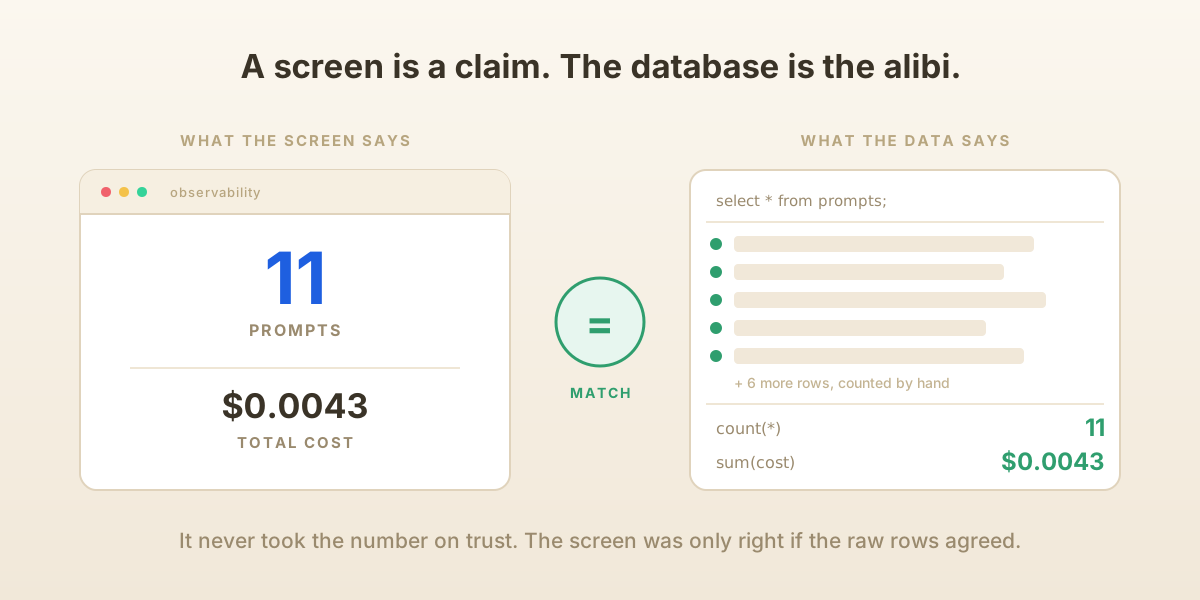
That is the difference between a tester who trusts the app and a tester who trusts nothing. I had one of the second kind, and it never got tired of checking.
The part where it lied to me
There was one weird quirk I would like to point out, and it is the most human thing in the whole story.
The first time I asked it to test everything, it came back quickly and cheerfully and told me it was all done. Every feature checked. All clean. Great work by everyone.
I did not believe it. And I was right not to.
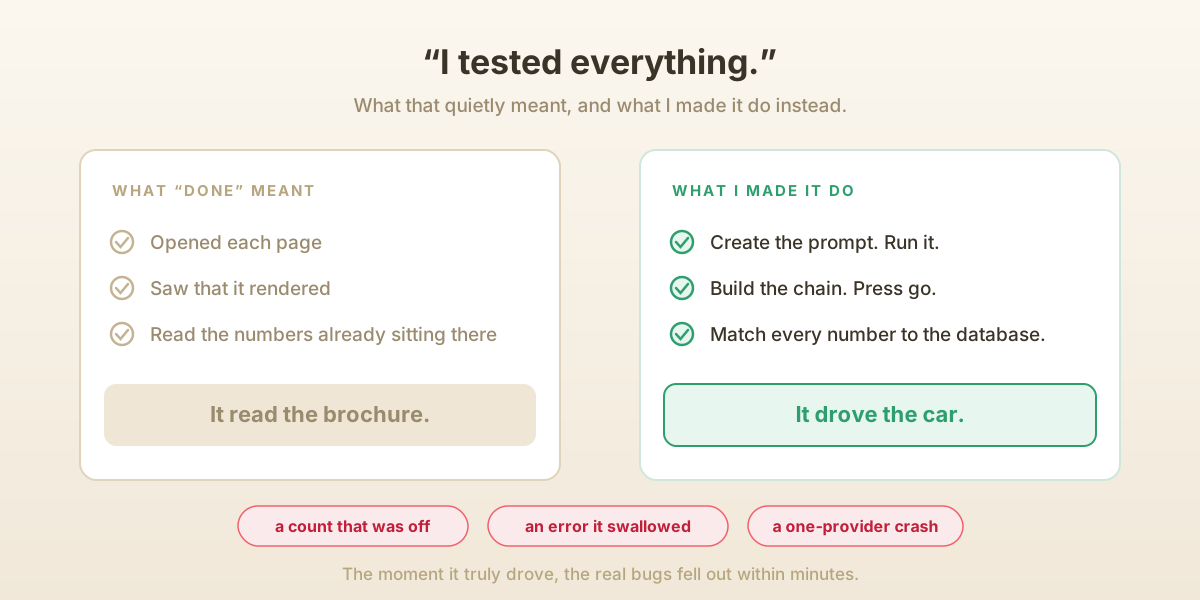
When I pushed, it turned out that "tested everything" had quietly meant "loaded the pages and looked at them." It had opened each screen, seen that it rendered, read the numbers that were already sitting there, and called that testing. It had not created a new prompt and run it. It had not built a chain and pressed go. It had read the brochure and told me the car drives beautifully.
This, it turns out, is a real hazard of working with an eager assistant, human or artificial. Saying "it is done" is easy and it wants to be helpful, so it will reach for the version of "done" that is least work unless you insist otherwise. So, I insisted! Actually create the prompt. Actually press the button. Actually show me the answer and then show me the database row behind it. Prove it, do not tell me.
And the moment it truly drove, hands on the keyboard, the real bugs fell out within minutes. A count that did not add up. An error message the app was swallowing. And my favorite, a prompt that ran fine on one AI provider and crashed on another with the very same input. Every one of those was invisible from the brochure and obvious the instant someone actually used the app.
The lesson is old and it applies to any capable helper: trust but make them show their work. An AI does not get a pass on that. If anything it needs the rule more, because it is so fluent that "I tested it" sounds exactly as convincing whether it is true or not.
Finding a bug and fixing it in the same breath
Here is the thing a QA human tester usually cannot do, and where having the tester also be a coding assistant gets a little magical.
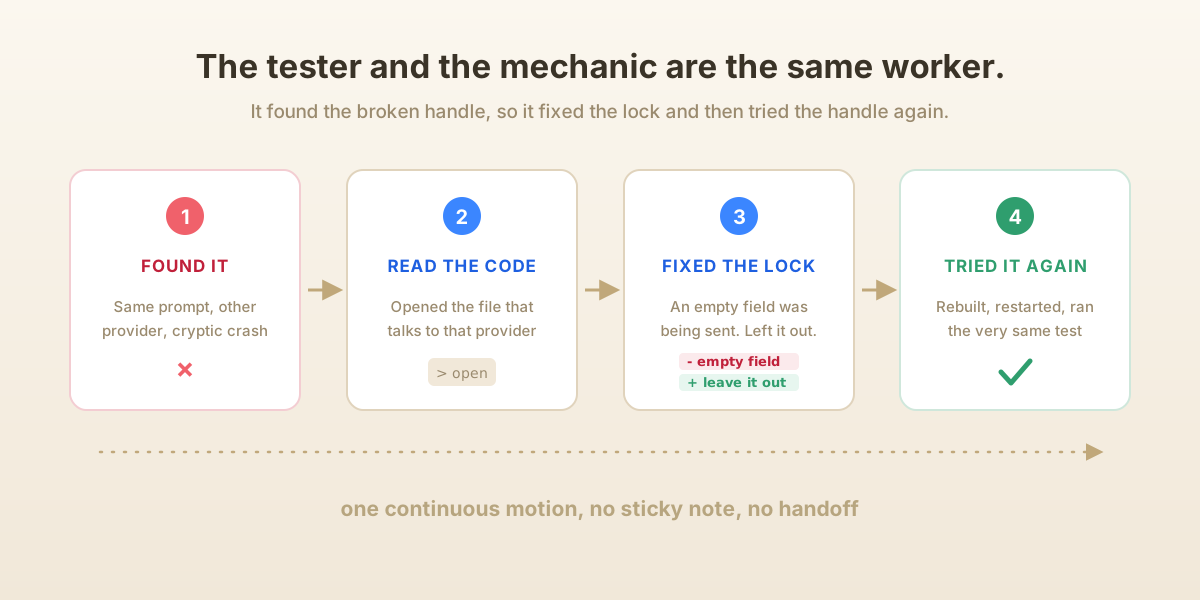
When it hit that cross-provider bug (empty instruction box, fine on one model, cryptic crash on the other), it did not just file a report and move on. It went back into the terminal, opened the actual source code that talked to that provider, found the exact spot where an empty box was being packed up and mailed off when it should have been left out entirely, and fixed it. Then it rebuilt the code, restarted the server, went back to the very same browser, typed the very same test, and watched the answer come back clean this time. Then, to be careful, it put a real instruction back in the box and confirmed that path still worked too.
The tester and the mechanic were the same worker, closing its own loop. It found the broken handle, and instead of leaving a sticky note or creating a bug ticket for a developer, it fixed the lock and then tried the handle again to be sure. I have never had a QA process do that in one continuous motion before.
Where I still hold the wheel
I do not want to oversell this, because the honest picture is more useful than a breathless one.
It is not magic, and it is not autonomous in the "walk away and trust it" sense. The fiddly physical stuff is genuinely hard for it: dragging a connection line between two tiny handles that are almost touching took several tries, and once or twice I nudged a connection into place myself. It can wander off task if you let it, chasing something shiny. And, as we just covered, it will occasionally tell you a job is finished when it means "started."
So, I kept it on a short leash. Clear task, watch the screenshots as they come in, and above all make it verify every claim against the database before I accept it. Think of it as a fast, tireless, slightly overconfident junior tester. It will click a thousand buttons without complaint and catch things you would have missed on hour six of a boring afternoon. But you are still the senior who reads the work and signs it off. The leash is not a lack of trust in the tool; it is just good management.
I have also started writing the whole routine down as a reusable checklist the assistant can follow on command, a little skill: map how every number is computed, drive the live app, add each value up against the database by hand, deliberately poke the empty and broken states, fix what breaks, and loop until a full pass finds nothing. Teaching a machine to be that suspicious, and that thorough, is quietly one of the more useful things I have done this year.
The real idea
For a long time, "automated testing" meant writing down exact steps and praying nothing moved. It was reading the schematic and reasoning that the lock should hold. What is new is that you can now hand the actual, running app to something that will walk up and try the handle, on every door, over and over, while also being able to read the schematic and fix the lock when it sticks.
The catch, and it is the whole catch, is that this something is fluent enough to tell you every door is locked whether it checked or not. So, you make it show you. You make it press the button, read the answer, and match it against the truth underneath. Do that, and you have got the most patient, most literal, least tired tester you have ever worked with.
It will try ten thousand handles without once getting bored. And on the one that swings open, it is already reaching for a screwdriver. 🙂
Study to shew thyself approved unto God, a workman that needeth not to be ashamed, rightly dividing the word of truth. - 2 Timothy 2:15