How I built Doca, a docs generator that writes itself
Documentation goes stale because we write it by hand, away from the code. Doca reads the code, diffs each push, and rewrites only what changed.
By Daniel Chiwuzoh ·
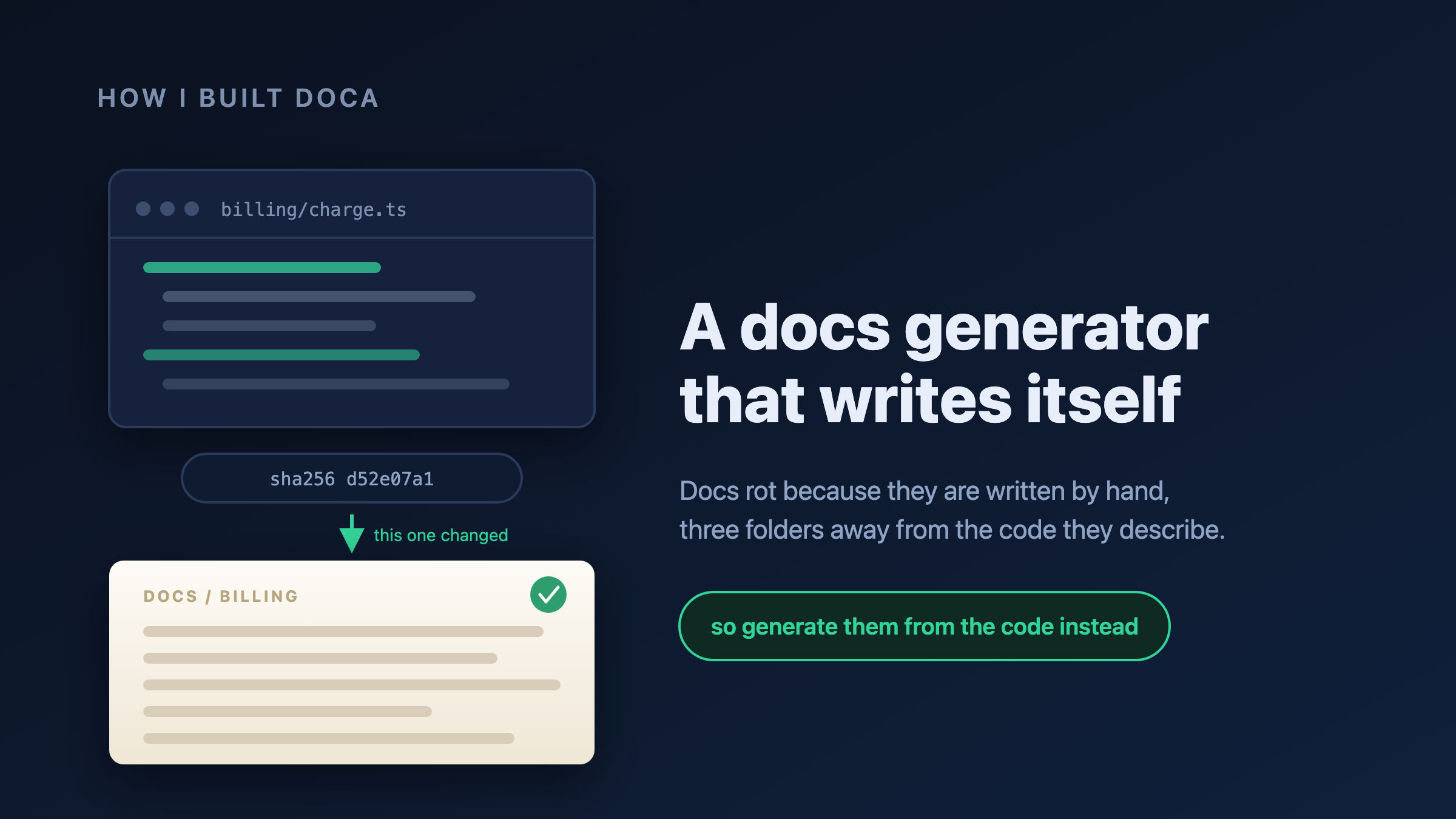
Every developer has had this exact moment. You open the documentation for some part of the system, read it carefully, follow it to the letter, and it just doesn't work. So you dig into the actual code and discover the docs are describing how things worked eight months ago. Someone changed the code and didn't touch the words. The words rotted.
And this happens for a reason that has nothing to do with laziness. Documentation lives in a different place than the code it describes, and it's written by a completely different act of effort. When you change the code, the compiler forces your hand, because broken code simply won't run. But nothing forces you to update the paragraph sitting three folders away that happens to mention that code. That paragraph just sits there, quietly, slowly becoming a lie.
I got tired of this, so I built a tool called Doca to fix it. The core idea is easy to say and was genuinely fun to build: don't write documentation next to the code, generate it from the code. If the docs come from the code, then when the code changes, the docs can just be regenerated to match. The lie never gets a chance to take hold, because nothing is being maintained by hand in the first place.
Let me walk you through how it actually works, because the path from that one idea to a working tool has a few nice turns in it.
The naive version, and why it's painfully slow
The simplest version of "generate docs from code" is honestly a bit brutal: every single time you want fresh docs, you feed your entire codebase to a language model and ask it to describe everything.
This works! It is also completely unusable. A real codebase is thousands of files. Reading all of them through an LLM on every update is slow and expensive, kind of like repainting your whole house because you scuffed one wall in the hallway. And it is wasteful in a really obvious way too: most of your code didn't even change since last time. Why on earth would you re-describe the ninety-five percent that is identical to yesterday?
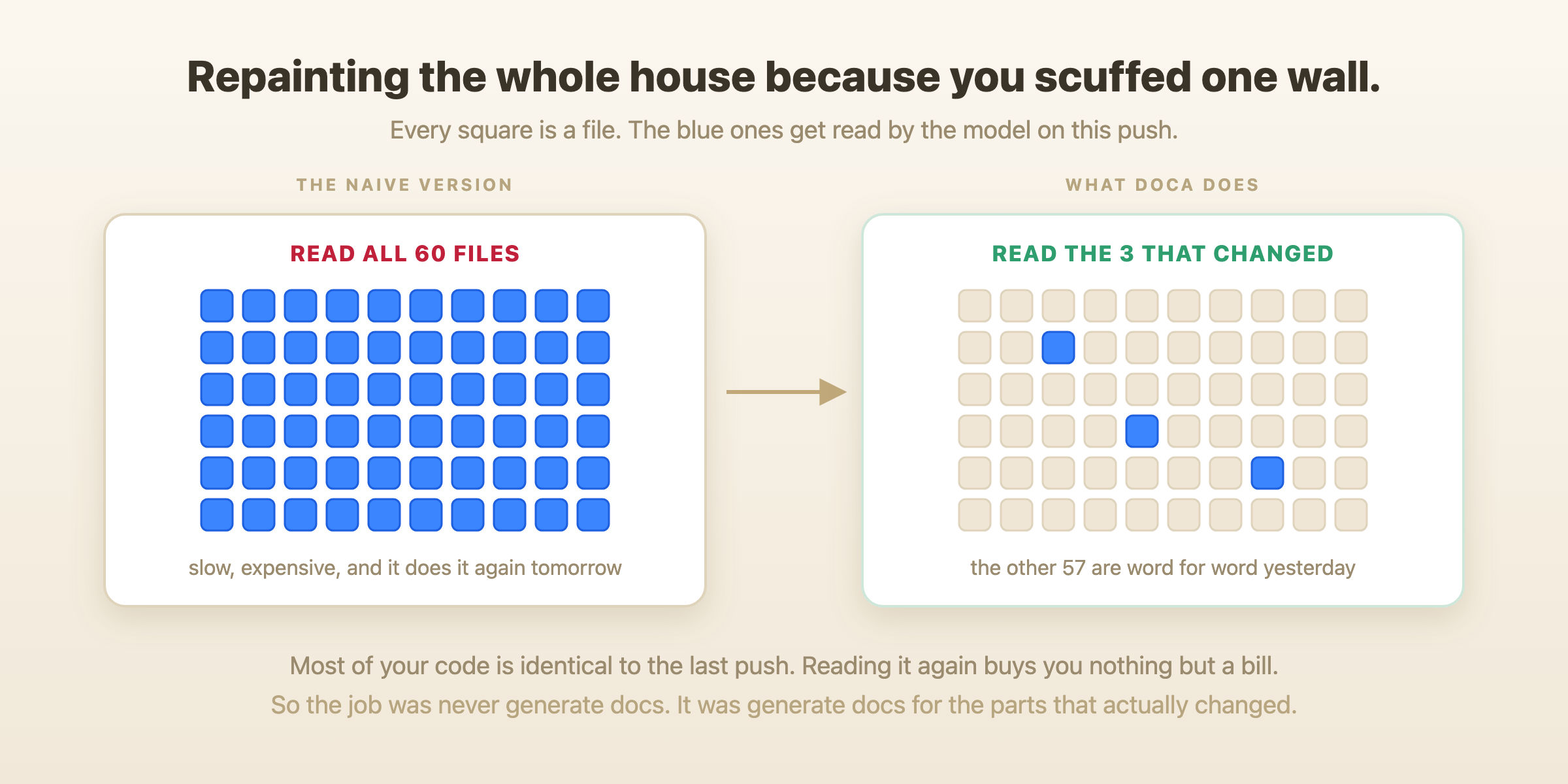
So the real problem was never "generate docs." It is "generate docs for the parts that actually changed, and leave the rest alone." Basically, the whole design of Doca falls right out of taking that one sentence seriously.
Fingerprints: how Doca knows what changed
To only re-document what changed, Doca first has to know what changed. And it does this with something delightfully old-fashioned: fingerprints.
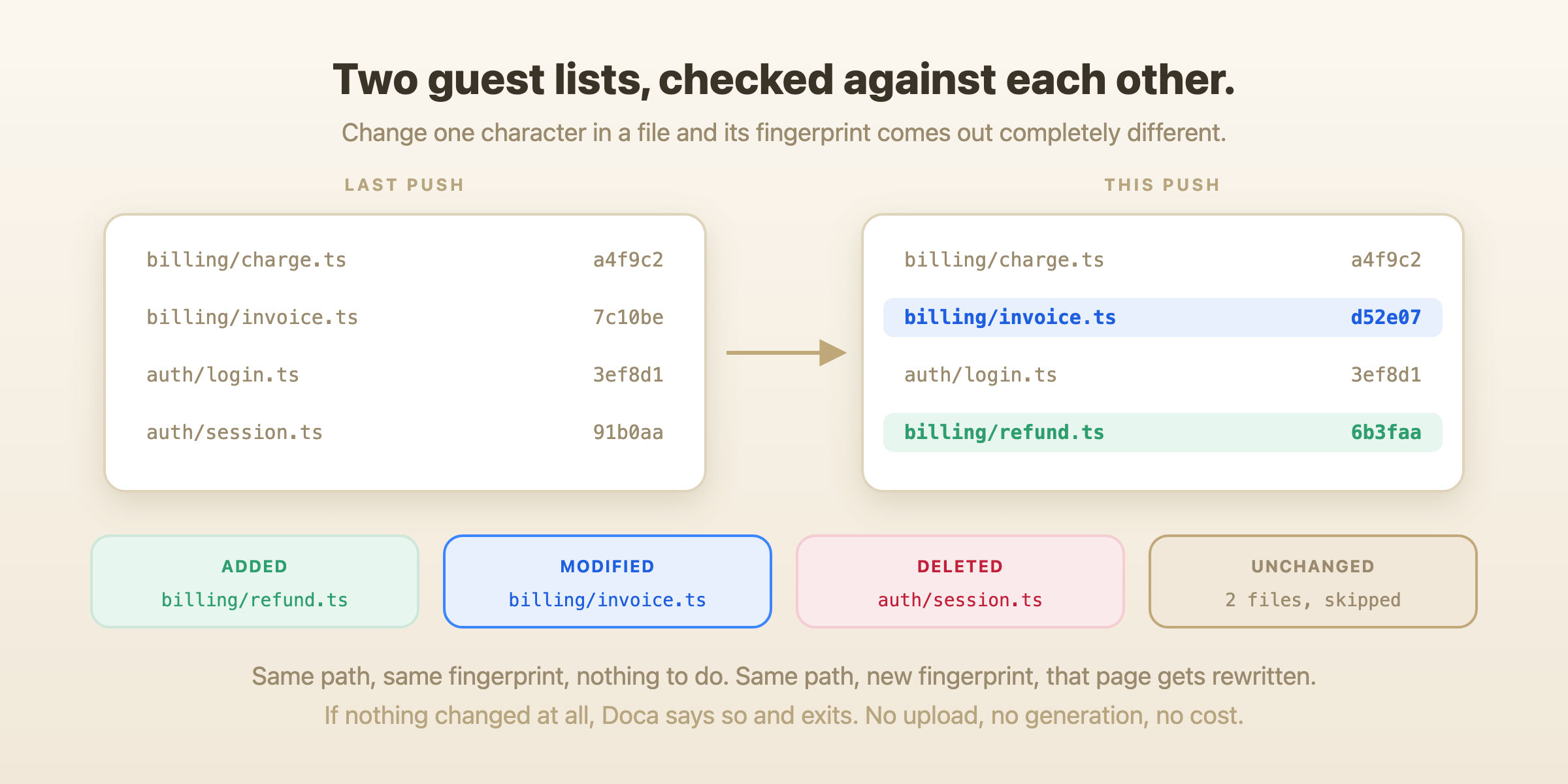
For every source file, Doca computes a hash, which is a short string of characters derived from the file's exact contents using an algorithm called SHA-256. The crucial property of a hash is that if even a single character in the file changes, the hash comes out completely different. That is basically a fingerprint: identical files have identical fingerprints, and any change at all, no matter how tiny, produces a brand new one.
So here is how Doca uses them. When you push your project, the tool scans every file, computes its fingerprint, and builds a little table: this file path, that fingerprint. Then it asks the server, "hey, what did the fingerprints look like last time?" The server sends back the previous table. Now comparing the two is just a matter of looking down the lists:
A file path that is new to your table, that file was added.
A path in both tables but with a different fingerprint, that file was modified.
A path that was in the old table but is gone from yours, that file was deleted.
A path in both with the same fingerprint, that one is unchanged, so skip it entirely.
That comparison is the whole heart of the tool, and it is no more complicated than checking two guest lists against each other to see who is new, who left, and who changed their name. On your very first push there is no previous table at all, so every file counts as "added" and the whole codebase gets documented. Every push after that, only the differences matter. If nothing changed, Doca just tells you so and does nothing. No upload, no generation, no cost.
This right here might just be the difference between a tool you run once and abandon, and a tool you run on every commit forever.
The three pieces, and how they fit together
Doca is built in three parts, and each one has a clear job. It helps to picture them as a chain, because that is how they pass work along.
The CLI is the part that lives on your machine, the doca command you type into your terminal. It is the only piece that ever sees your actual source code. When you run doca init, it creates a small config file called .doca.json that records two (2) things: which repository these docs belong to, and which files to pay attention to. It auto-detects your source files and also respects your .gitignore, so it won't waste effort documenting your dependencies or build output. Then when you run doca push, the CLI does that scan-and-fingerprint dance I just described, works out the diff, and uploads only the changed files, never your whole codebase, to the server.
The API is the server sitting in the middle. It receives the uploaded files and records a snapshot, which is a frozen record of what your codebase looked like at this push, including which files were added, modified, deleted, or unchanged. And then it does something important: it does not generate the docs right there and then. Instead it drops a job onto a queue and immediately tells the CLI, "got it, generation is underway." This matters because writing documentation with a language model takes real time, sometimes minutes. You really don't want your terminal frozen while that happens. The job queue lets the upload finish instantly while the slow work quietly happens in the background.
The Web UI is where you and your team actually read the finished docs. It is a dashboard in the browser with a sidebar, a search box, and a version switcher. It is also where you set things up: create a repository, mint an API key so the CLI can prove it is really you, and retry a generation if one ever fails.
So, CLI scans and diffs. API stores and schedules. Web UI displays. Each piece does one thing, and the work flows straight down the chain. I hope you are still with me 🙂.
The worker, and the writer
Behind the API sits the piece that does the actual writing, which is what I call the generation worker. It watches the job queue, and when a generation job shows up, it picks it up and gets to work.
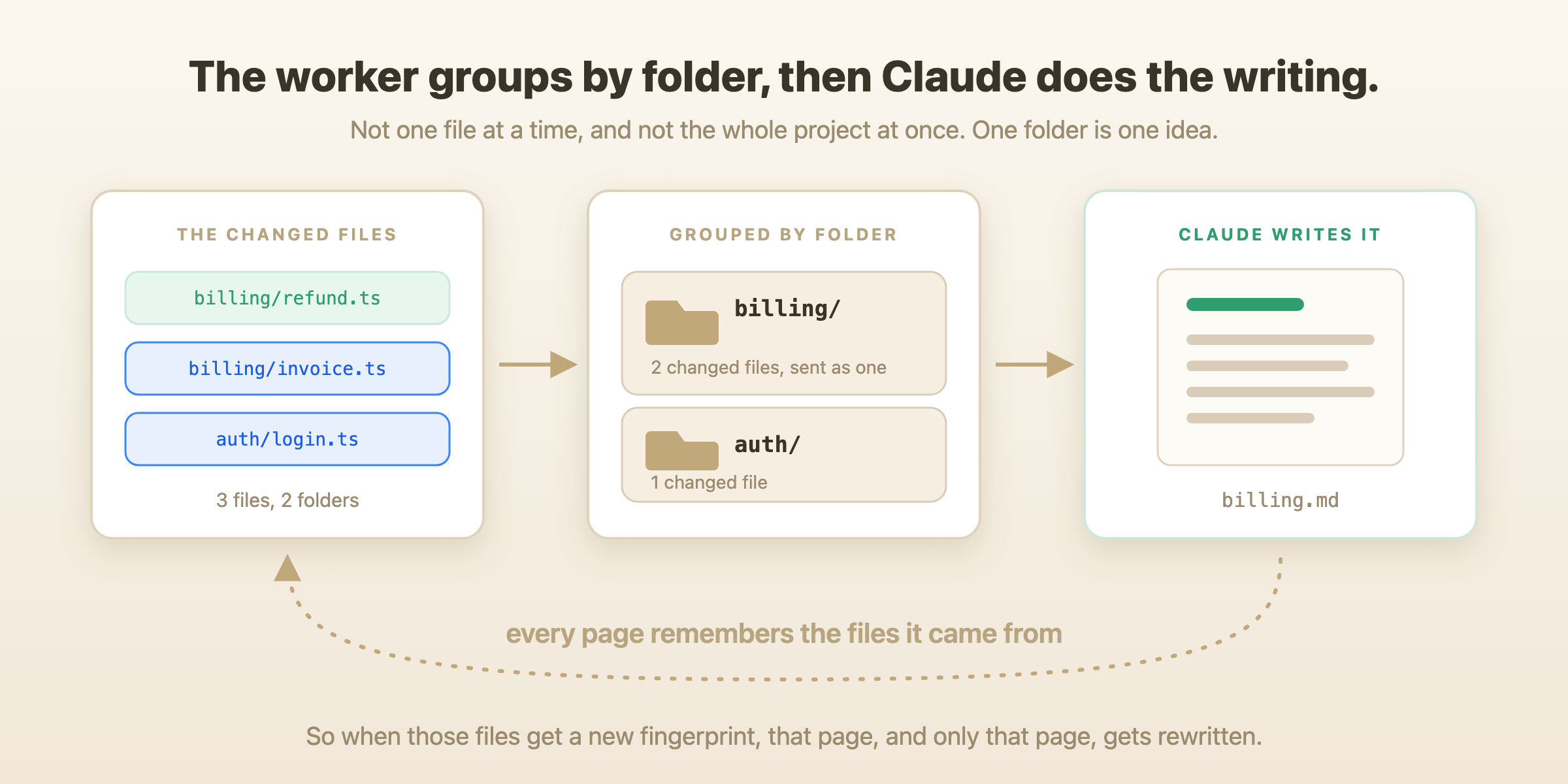
The clever bit about the worker is in how it groups the work. It doesn't ask the language model to document files one at a time, and it doesn't ask it to swallow the whole project at once either. It groups the changed files by directory. A directory of code usually represents one coherent idea, like the authentication folder, or the billing folder, and documentation written about a whole directory at once reads far better than documentation stitched together from a bunch of isolated files. So for each directory that contains a changed file, the worker gathers up that directory's code and hands it to the writer to describe.
And the writer itself? That is a language model, reached through a prompt service I had already built for my other project, Ofuma. This is the part that makes the whole thing feel like it "writes itself." I did not write a program that knows how to describe code, because that would be a fool's errand, since code can be about literally anything. Instead I wrote a program that knows how to find the code worth describing and then hands it to a model that is genuinely good at explaining things in plain English. The intelligence is rented. The discipline around it, deciding what to send, when to send it, and what to skip, that part is mine.
The finished documentation comes back as Markdown and gets saved, with each page linked back to the exact source files it was generated from. That link is quietly the most important thing here: it is the thread that keeps the docs tied to reality. A page is not some free-floating essay somebody wrote once and forgot. It is the description of these specific files, and the moment those files change their fingerprints, that page, and only that page, gets rewritten.
What it actually feels like to use
The day-to-day is almost anticlimactic, which is honestly the entire point. You set it up once. After that, your routine is just: change your code, commit it, run doca push. The first time, every directory gets documented and yeah, it takes a while. Every time after that, Doca quietly notices you only touched the billing folder, regenerates exactly the billing docs, and leaves everything else completely untouched. If you changed nothing at all, it basically shrugs and exits.
You can even slot it right into your automated pipeline so that documentation regenerates on every commit, with no human in the loop at all. The CLI is smart enough to detect when it is running inside a CI system and pull the branch and commit details from the environment automatically (maybe more on wiring this into CI in another article 🤔).
So the result is documentation that tracks the code instead of lagging behind it. Not because anyone is being diligent, because diligence is exactly the thing that always fails, but because the docs are downstream of the code, and a fingerprint comparison decides what is stale far more reliably than a tired human ever could especially a tired human on their third cup of coffee at 2am.
I started this whole thing because I was annoyed at docs that lied. What I ended up with is a small machine that keeps them honest, and the trick that makes it all practical is the most boring one in the entire tool: a hash, computed twice, and compared. Boring, and it works!
Lying lips are an abomination to the Lord: but they that deal truly are his delight. - Proverbs 12:22