Studying on a Train: How go Works Offline
How the app keeps working with no signal, dates a review by when you answered it, and takes new versions without losing a card.
By Daniel Chiwuzoh ·
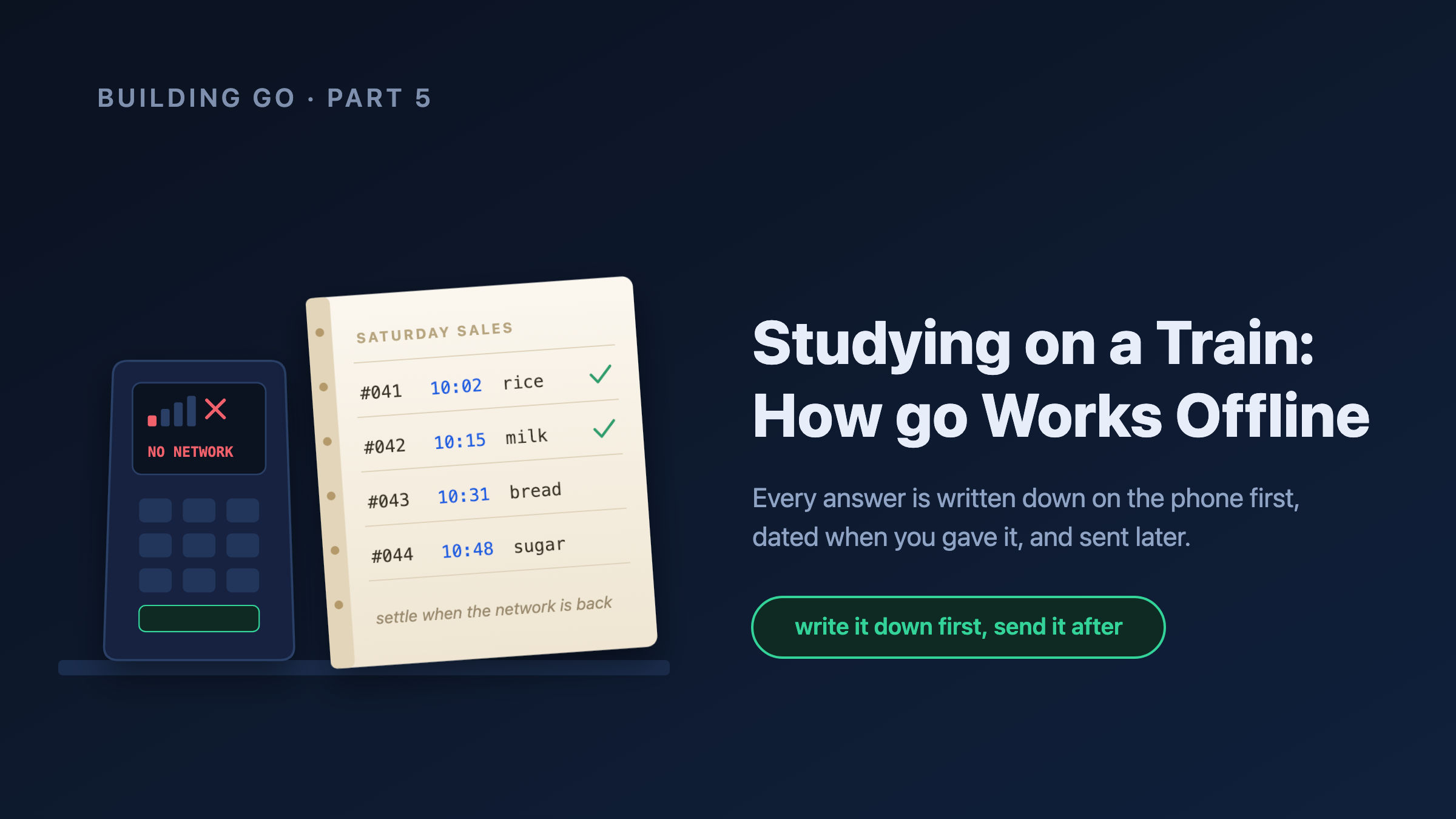
Picture a provision shop in a busy Lagos market on a Saturday. Customers are paying by card, and the POS machine on the counter suddenly says it cannot connect. "Network is bad," the shop owner says, which everyone in Nigeria has heard a thousand times. 😅
A good shop owner does not close the shop. She pulls out a small notebook from under the counter, and for every sale she writes down who bought what, how much, and the time. When the network comes back, she goes through the notebook line by line and settles each one. A few things about that notebook are worth noticing:
She writes the sale down first, before she even tries the machine again. If the machine works, fine. If it doesn't, the sale is still safe on paper.
Each line keeps the time the sale happened, not the time it got settled. A sale at ten in the morning is a ten o'clock sale, even if the network only came back at four.
If she settles a line twice by accident, the bank should not take the money twice.
And while the notebook has lines in it, nobody needs a big sign on the shop saying "SALES WAITING TO SETTLE".
This whole article is about building one into a phone app.
Why the app needed a notebook
I've been building go (from 語, the suffix that means "language", as in 日本語, nihongo, the Japanese language). It's a language-learning app, Japanese first, and it is a PWA: a website you can install on your phone's home screen so it opens like an app.
The best time to practise vocabulary is the time you would otherwise waste. A bus, a queue, a train. And trains are exactly where the signal drops.
So offline in go is two jobs, the same way the shop has two jobs:
Reading: showing the lessons, words and cards you need, with no network.
Writing: keeping every answer you give, and sending it when the network is back.
Let me take them one at a time.
Reading: the service worker keeps copies
A service worker is a small script the browser runs beside your page. Every request the app makes passes through it, so it can keep copies of responses and hand them back when the network is gone.
In go, the service worker keeps a few caches with three different strategies, chosen by what the data is:
Network first: try the server, and if it doesn't answer in a few seconds, use the last copy. This is for anything that carries your own progress: the review queue, grammar, lessons, Speak sessions, conversations, speeches, the crossword, Today and your progress page. A stale copy of those would show yesterday's progress, so the fresh one is always preferred.
Stale while revalidate: show the copy you already have at once, and quietly fetch a new one for next time. This is for reference content: a kanji, a word, a dictionary search. Those are the same for every learner and only change when I deploy or approve something.
Cache first: if it's in the cache, never ask. This is for audio clips and illustrations, which are made once and rarely change.
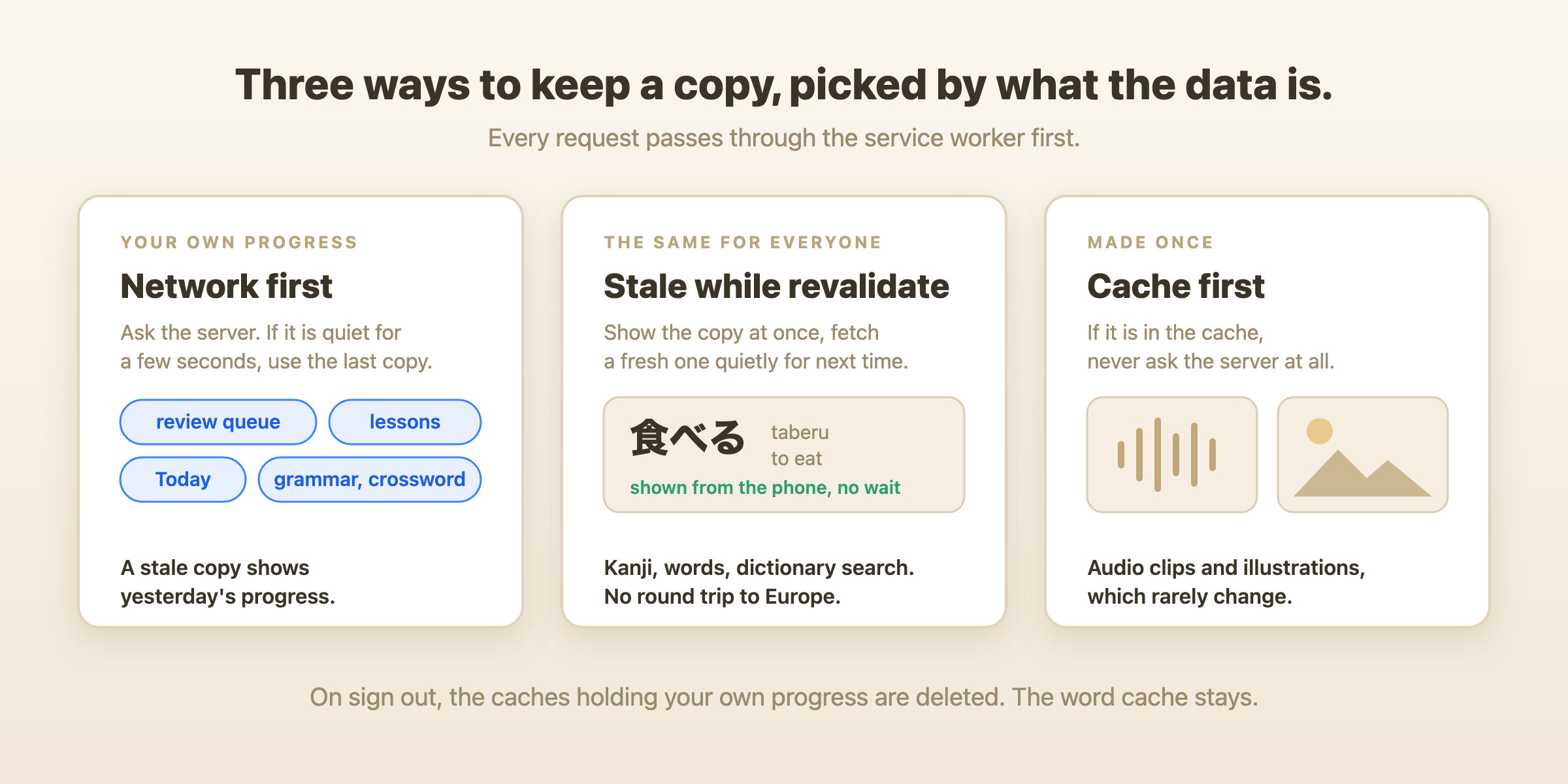
One more detail I like: when you sign out, the app tells the service worker to drop every cache that holds a learner's own data.
// Signing out clears every cached API response: they are this learner's own
// data, and the next person on a shared phone must not be served them.
self.addEventListener('message', (event) => {
  if (event.data?.type === 'CLEAR_USER_CACHES') {
    event.waitUntil(Promise.all(['go-study', 'go-grammar', 'go-reading'].map(name => caches.delete(name))))
  }
})
The cache of words, kanji and dictionary results is left alone, because a word means the same thing whoever is holding the phone.
Writing: the notebook comes first
Now the harder half. You answer a card on the train. Where does that answer go?
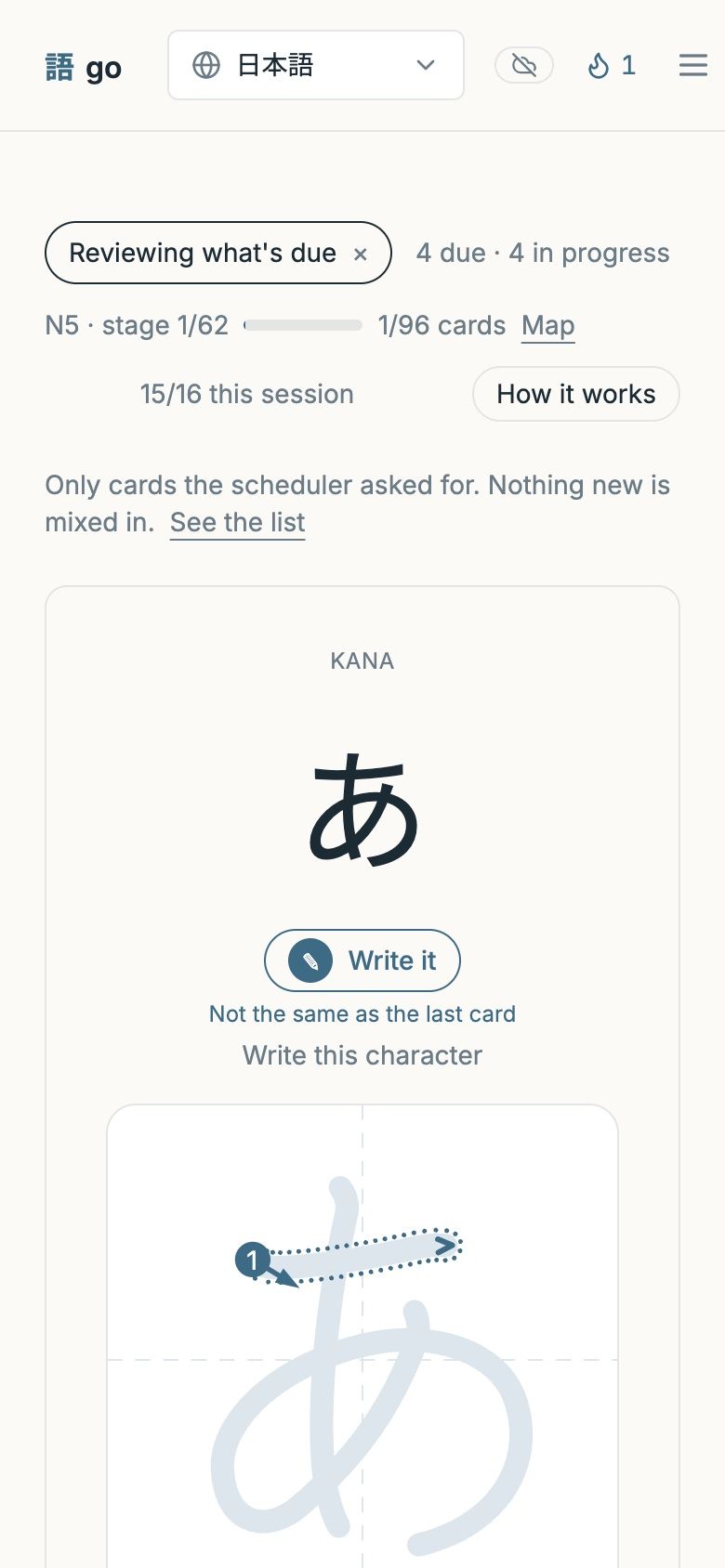
Here is the decision that shapes everything else: every answer goes into the notebook first, online or not. There is no "if offline, queue it, else send it" branch. The answer is written to a local database on the phone, and only then does the app try to send it. This is the shop owner writing the sale down before she touches the POS machine.
This is the real function from the Study page, trimmed:
async function send(item: StudyQueueItem, rating: 1 | 2 | 3 | 4, correct: boolean) {
  await enqueueAnswer({
    id: uuidv7(),
    facetId: item.facetId,
    promptId: item.promptId,
    rating,
    reviewedAt: new Date().toISOString(),
    durationMs: Math.max(0, Date.now() - shownAt.value),
    answerGiven: answer.value,
    isCorrect: correct,
    hintsUsed: 0,
    offline: !navigator.onLine
  })
  void flush()
}
Two lines in there matter more than the rest. id: uuidv7() means the phone gives each answer its own id, before the server has ever seen it. And reviewedAt is stamped right there, from the phone's own clock, at the moment you pressed the button. Keep both of those in mind, they come back later.
The void flush() at the end is fire and forget. Online or not, the next card shows straight away, because the session never waits on a request.
The local database is IndexedDB, through a small library called Dexie, and it has a few stores with very different lifetimes.
queue: answers not yet accepted by the server. "NEVER dropped on a schema change; losing these loses real work."dead: answers the server refused. "Kept and surfaced rather than silently discarded."bundles: a cached copy of your review queue. Disposable.actions: other writes not yet accepted, like a finished lesson. Same rule as answers.
When the actions store was added, the version 2 definition kept the answer queue exactly as it was: "the answer queue is untouched, so nothing queued is lost."
Not just answers
Answers aren't the only thing you could do on a train. I also added lessons finished, a speak session finished, a speak prompt missed, a word saved. Before this addition, a finished lesson used to be lost offline and the topic never reached review.
These actions are queued a little differently from answers. A lesson tries the network first, and is only queued when there was no answer from the server at all:
/**
 * No answer at all: offline, or the server unreachable. Only then is a write
 * queued; a real refusal (4xx) would be refused again later, so it is reported.
 */
export function isNetworkError(e: unknown): boolean {
  return isAxiosError(e) && !e.response
}
"I couldn't reach the server" and "the server said no" are different things. The first is the POS machine with bad network, so write it down and try later. The second is the bank declining the card, and writing it in the notebook won't change the answer, so the learner should hear about it now.
On the server, each queued action goes through the same service as its online route, so there is only one version of "what finishing a lesson means".
Sending the notebook
Now, when does the notebook actually get sent?
Browsers have a feature built for exactly this, called Background Sync: you hand the browser a job, and it runs it when the network comes back, even if the app is closed. go deliberately does not use it. The reason is because:
Safari does not implement it at all, so relying on it would mean iPhone users, the ones most likely to study on a train, silently never syncing.
So the app sends the notebook itself, at moments it knows about:
when the app starts,
when the browser says the network is back (the
onlineevent),when you come back to the app (
visibilitychange),and on a retry timer when a send fails.
The retry timer doubles each time a send fails, from ten seconds up to a ceiling of five minutes, "so a long outage doesn't spin". When a send succeeds and there are still more answers waiting (a batch is 200 at most), it carries on after 250 milliseconds.
If you have the app open in three tabs, all three would send the same notebook. The server copes with that (more on why in a second), but it's three times the battery. So the app uses navigator.locks: exactly one tab holds the lock and sends, and the others skip it.
Early on, this whole loop only ran while the Study page was open, so a lesson finished offline sat in the notebook until you happened to visit Study. I have moved it up to start once for the whole app.
Sending it twice is fine
Remember the id the phone gave each answer? This is where it pays off.
Networks are unreliable in an annoying way. The phone sends a batch, the server saves it, and then the reply gets lost on the way back. From the phone's side, it looks like the send failed, so it sends the same batch again. Without care, every answer would be saved twice and your cards scheduled as if you'd reviewed them twice.
Because each answer arrives with its own id, the server stores it with ON CONFLICT DO NOTHING. The second copy hits the same id and simply does nothing. The sync endpoint replies with three lists of ids:
accepted: new answers, saved.duplicates: answers it already had.rejected: answers it could not apply, each with a reason.
And on the phone, the code treats the first two the same way:
// Duplicates are a success: the server already had them.
await clearAccepted([...result.accepted, ...result.duplicates])
That's the shop owner settling a line twice and the bank only taking the money once, because each sale has a receipt number.
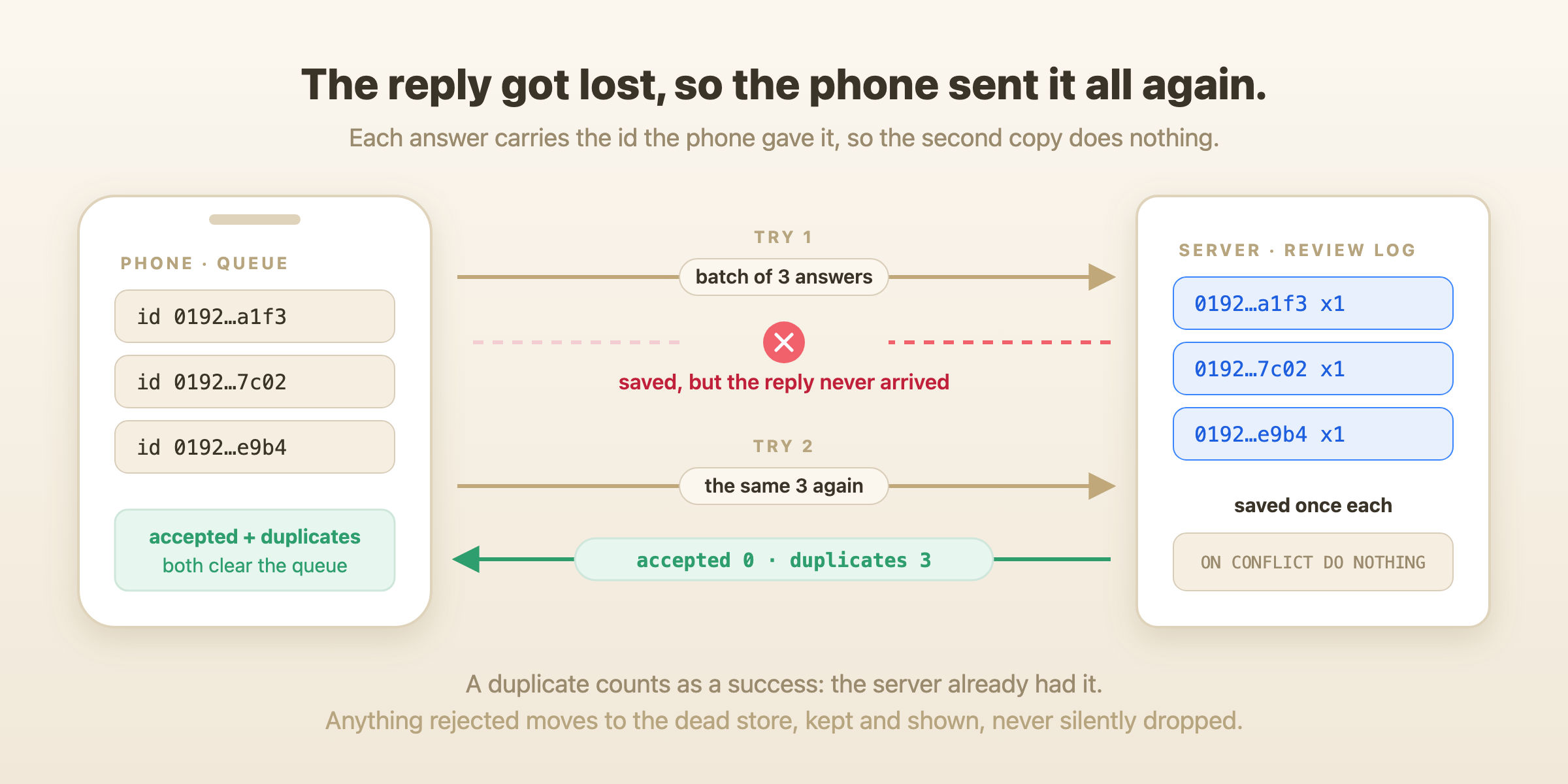
The rejected list goes into the dead store. A refused answer will be refused again on every retry, so in the queue it would block everything behind it forever. It isn't deleted either, just moved aside, so the app can say "N couldn't sync" instead of losing it quietly. And one bad answer doesn't spoil the batch: the server tries each one on its own.
A review is dated when you answered it
In part 4 I wrote about how go stores every review in a log, and works out each card's state by folding over that log in time order. The log is the truth, and the card is a cache built from it. If an old review arrives late, the server replays the card's whole history with the late answer in its proper place.
The offline question is simpler to state: what time is a review? The time you answered it on the train, or the time the server finally got it?
For a while, the server had a rule that quietly answered "a bit of both". If a review arrived dated earlier than the card's latest review, it was moved to one millisecond after that latest review. The idea was to keep every card's history in a strict order.
An answer older than the card's last review was moved to just after it, so an offline session synced late was re-dated and the card depended on the order devices synced.
Imagine you study on your phone on the train with no signal, then get home and do a few more cards on your laptop. The laptop's answers reach the server first. When the phone finally syncs, its older answers would have been pushed to after the laptop's ones, as if you'd done them last. Same answers, different card state, depending on which device found Wi-Fi first. That is the shop owner writing down the time she settled instead of the time she sold.
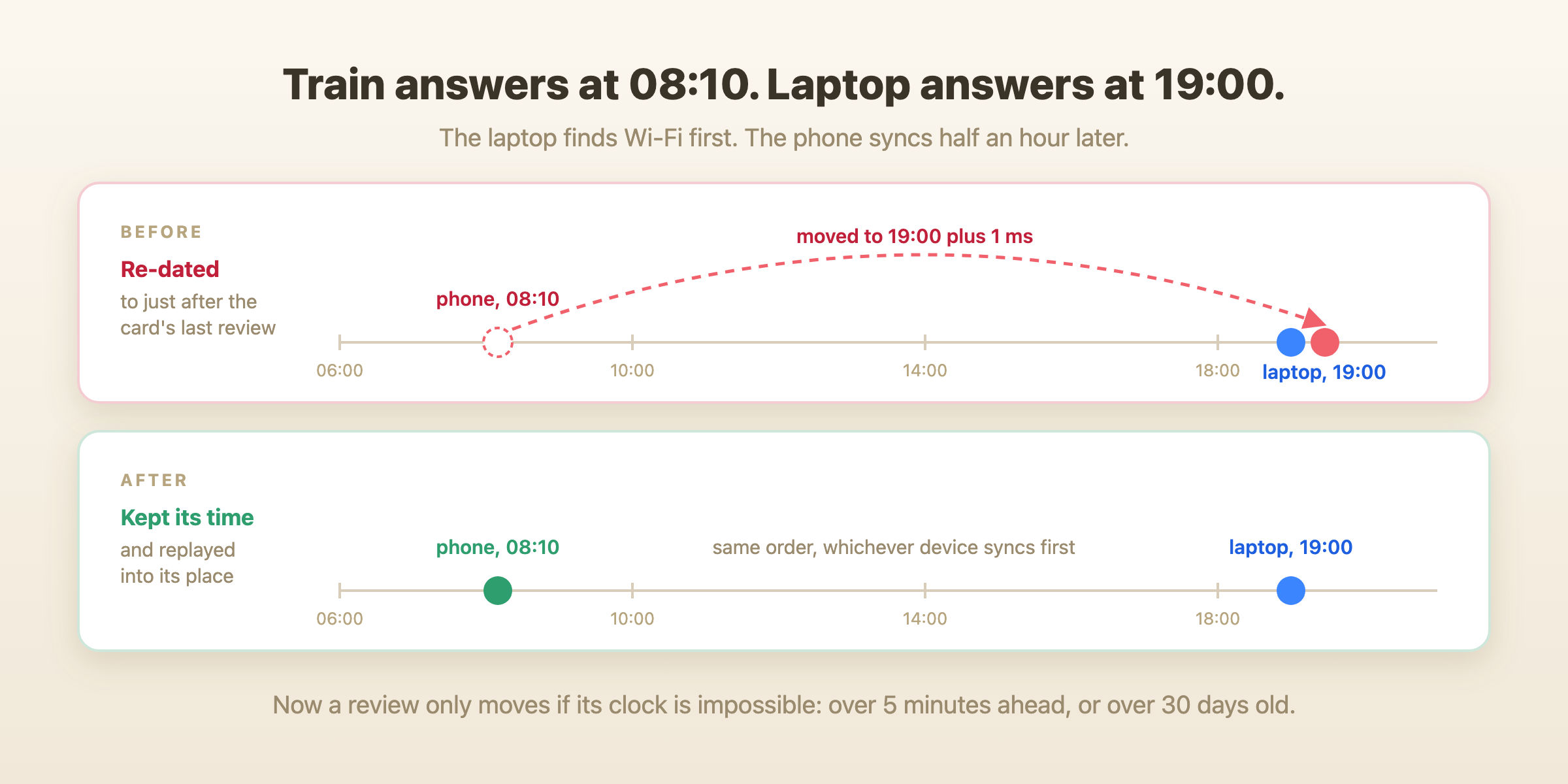
Now the server only moves a review in two cases, both about clocks that cannot be right:
more than 5 minutes in the future (a phone with the wrong date), it's pulled back to the time it arrived,
more than 30 days in the past, it's pulled up to the 30-day limit.
Either one sets a clockAdjusted flag on the log, and the phone's original stamp is kept in its own column, so the change is recorded rather than hidden. Otherwise the review keeps its own time and is replayed into place. A review "is dated when the learner answered, never when it arrived."
One thing the phone does not do is correct its clock against the server before stamping an answer. It uses new Date(), as it is. Those two clamps are the whole defence against a wrong clock.
It's not only the review itself. Everything stamped from an answer follows the answer's time too: when a card was first seen, when it was last answered correctly, when it became a ghost card.
The idea reached the gamification. An achievement unlocked by an offline batch "was dated by the sync", and is now dated by the moment its count crossed the line. Quests, once scored only for the day the server rebuilt your stats, are now scored for every study day an offline batch brings in.
Saying only what's worth saying
So the notebook works. The next question was: should the app tell you about it?
The first answer was yes. When the sync loop went app-wide, a small pill in the header said what was saved on the phone and not yet sent: offline, waiting, or refused. If you finish a lesson on a train, you should be able to see it's waiting.
Then the phone had a problem with it. Remember that every answer goes through the notebook, even online. So after every single card, "1 waiting to sync" flashed into the header for a moment. On an iPhone, that made the header wider than the screen, and iOS zoomed the whole page out to fit it. The card looked small until the sync finished, then the page sprang back. After every answer. 🙃
The first fix was to wait: a normal sync showed nothing, and only answers still waiting after 3 seconds showed, as an icon and a number on a phone. Later the "waiting" label went entirely.
It gave the learner nothing to act on, so it is gone.
Today the pill appears in two cases only. If you're offline, it says so, with a tooltip: "You are offline. Everything you do is kept on this device and sent when you are back." If the server refused something, it says how many couldn't sync. Answers waiting in the queue while you're online are just the app working.
New versions, at a moment that drops nothing
There's one more way an offline-first app can lose your work, and it isn't the network. It's me deploying.
A PWA keeps its own copy of the app on the phone. When I ship a new version, the phone doesn't get it until the browser checks for a new service worker, and the browser normally only checks when a page loads. A deploy reached the app only when the browser happened to check, "and an installed app resumed from memory rarely does", so a deploy could go unnoticed for a day. And when it was noticed, it waited behind a Reload / Later bar.
The first half of the fix is simple. The app now asks for a new version every ten minutes while it's open, and every time it comes back to the foreground.
The second half is about when to swap. Reloading the app in the middle of a review session would throw away the card on screen, the answer you'd half typed, the puzzle you'd half filled. So app.vue keeps a list of busy pages: Study, a lesson, a Speak session, a conversation, a speech, the crossword, the games, the writing page and a few more, thirteen in all. Then:
function applyIfCalm(justNavigated = false): void {
  if (!updateReady || !applyUpdate)
    return
  // A page just arrived at has nothing in progress yet, whatever page it is.
  const busy = !justNavigated && BUSY_ROUTES.has(String(route.name ?? ''))
  if (!busy || document.visibilityState === 'hidden')
    void applyUpdate(true)
  else
    showUpdateBar.value = true
}
On a calm page, like Settings or the dictionary, a new version is applied straight away. On a busy page, it waits for the next natural break: moving to another page, or putting the app in the background. Nothing you were doing is on screen at that moment, so nothing is dropped.
The bar came back the same day in a smaller role. On a busy page, it says "A new version is ready. It loads by itself when you leave this page." with a Reload now button, for when you want it now rather than waiting, and a Later to dismiss it.
And because answers are already in the notebook the moment you give them, even a reload at a bad time doesn't lose a review. It loses what was on screen, and the busy-page list is there to protect that.
Back to the shop
So that's the notebook under the counter, built into a phone. Everything is written down first and sent after. Each answer carries its own receipt number, so settling it twice is harmless, and its own time, so it counts for the moment you gave it. What the server refuses is kept aside, and the app only speaks up when you're offline or something failed.
Next in the series is time itself: how the app decides what "today" means for you, wherever your phone happens to be.
But the wise took oil in their vessels with their lamps. - Matthew 25:4