Teach It, Quiz It, Keep It: How Lessons Work in go
teach a topic, quiz it on the spot, then hand it to Review. Underneath sits a tokeniser that turns sentences I wrote into questions.
By Daniel Chiwuzoh ·
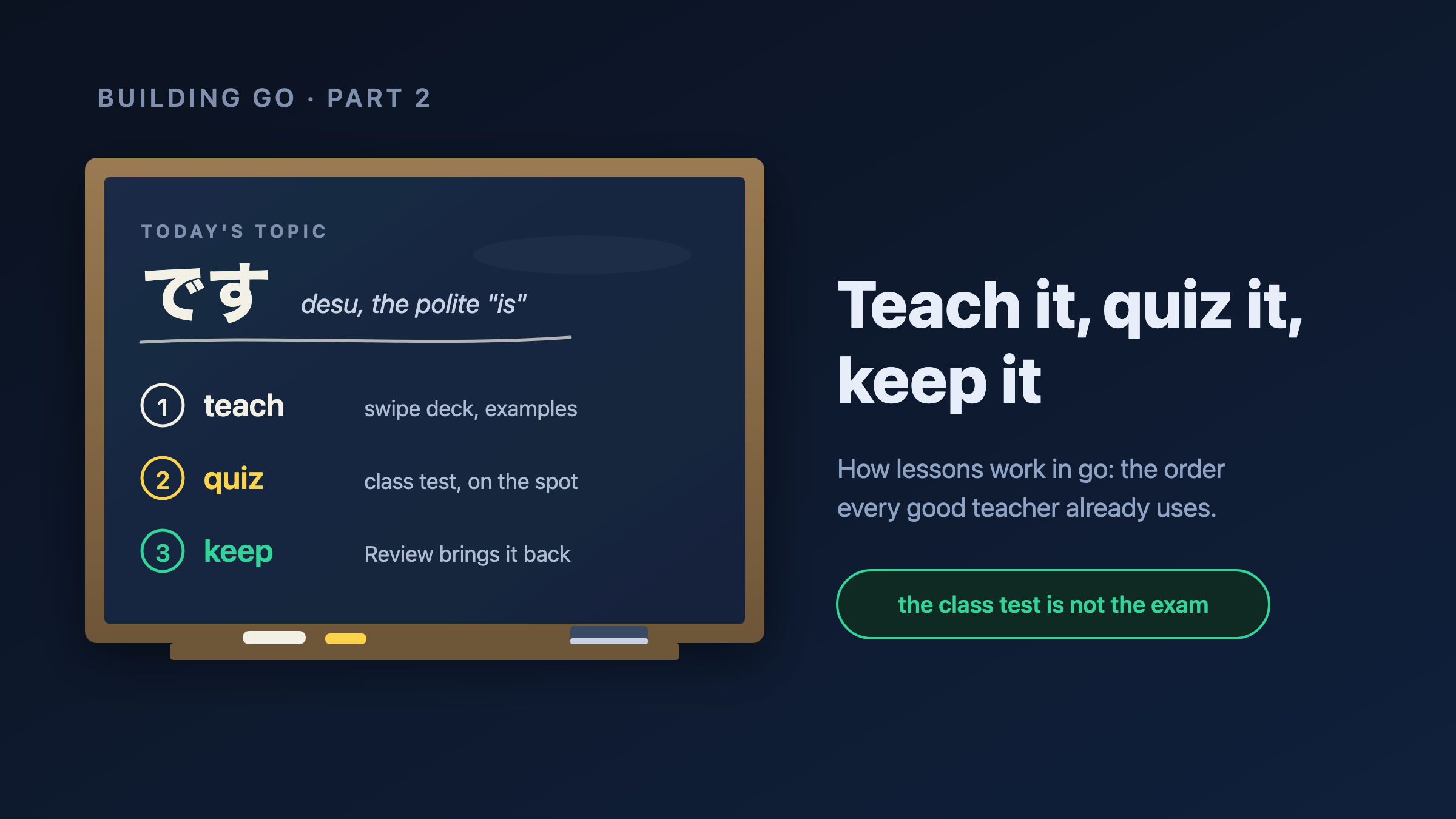
Think back to a classroom. A teacher walks in with a box of chalk, writes the topic on the board, and spends most of the period explaining it with examples. Near the end she gives a short class test on what she just taught. Then weeks later, when the exam is coming, there's revision, and the topic comes back to see if it stuck.
Three steps: teach, test, revise. That's just how people have always been taught, and the order matters. A teacher who walked in and handed out the exam on day one would be called a bad teacher.
This article is about how go (from 語, the suffix that means "language") learned that order. For a while it didn't have it at all.
Everything was a quiz
go is built around spaced repetition. You get a card, you answer it, and the app schedules the next time you'll see it based on how you did. Part 4 of this series goes into the review log behind that. For now the important bit is that it's a very good machine for keeping things you already know.
The problem is the word "already". The scheduler assumed an introduction had happened somewhere, and no screen ever performed one. A card would ask for いちばん (ichiban, "number one" or "the most") from someone who had never met the word. That isn't a test of memory, it's a guess, and getting it wrong teaches nothing because there was nothing there to remember.
The model I had in mind was Bunpo, another app, where a course teaches you something and then quizzes you on what you just learned. go had no such thing.
The fix came in two places. First, a card seen for the first time now opens on itself: the word, its reading, its meaning, audio and an illustration where there is one, and a button to move on to the question. The introduction is shown instead of the question rather than beside it, because reading the answer and answering are different acts, and putting both on one screen turns the second into copying.
The bigger fix was Lessons, which took the first tab in the app.
What a lesson is
A lesson is one topic.です (desu, the polite "is"), the past tense, 〜てもいい (te mo ii, "it's okay to"), and so on. When lessons arrived there were 355 of them across five levels, N5 (the easiest) up to N1.
Nothing in the lessons code writes prose. The explanations, the example sentences, the common mistakes, the questions: all of it already existed, reachable only from a reference page that nothing linked to. Lessons took material that was sitting in a cupboard and put it on the board.
A lesson runs in three phases, and they're literally named that in the page code:
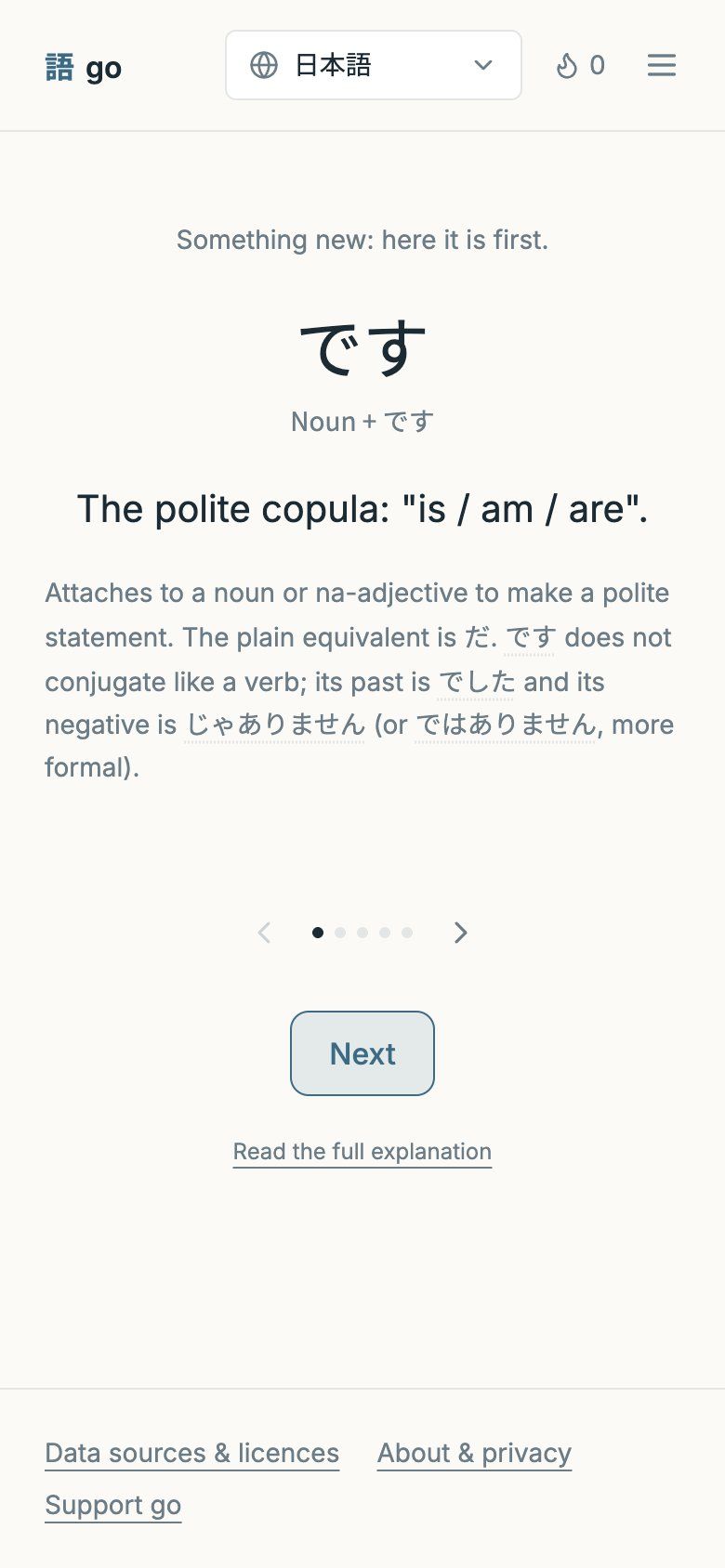
type Phase = 'teach' | 'quiz' | 'done'Teach is a swipe deck: what the pattern means, how it attaches to a verb or noun, example sentences with audio and furigana (the small readings above kanji), and a common mistake with why it's wrong. It's the same deck the study screen uses when it introduces a grammar card, so a topic reads the same wherever you meet it. The last slide has a button that says "Got it, quiz me".
Quiz asks every published question on that topic in one sitting. Review normally picks one question per facet of a topic; a lesson asks the whole set, easiest first.
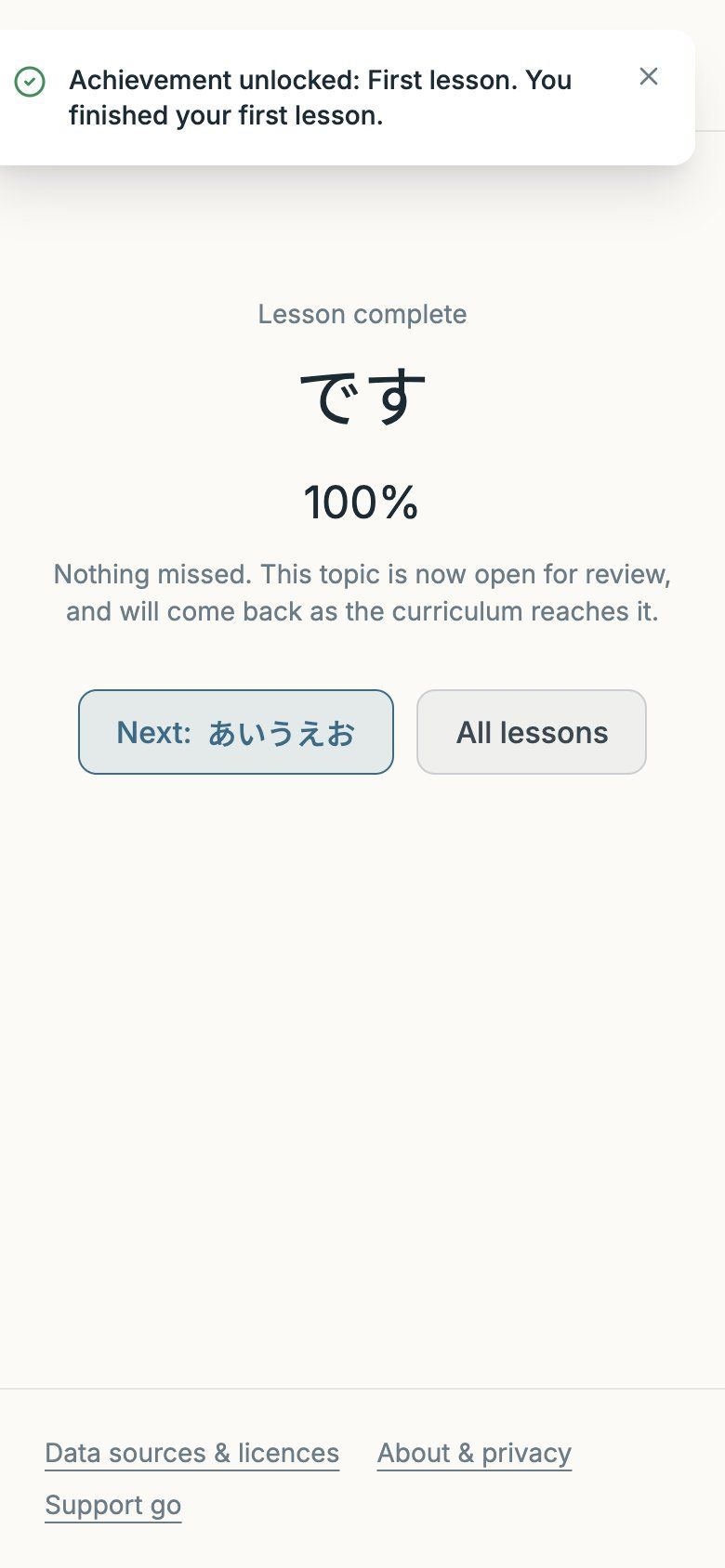
Done shows your score, tells you how many questions you'll see again, and offers the next lesson.
The writing system comes before any grammar. Furigana is kana, so every other lesson in the app assumes you can read hiragana. Lessons used to open at です, which was asking someone to read the ruby before they had met あ (a). Now the first level opens with "The writing system": one lesson per row of the syllabary (あいうえお, かきくけこ), hiragana first, then katakana. The characters were already in the app as study items with their own audio and questions. This gave them a door.
The class test is not the exam
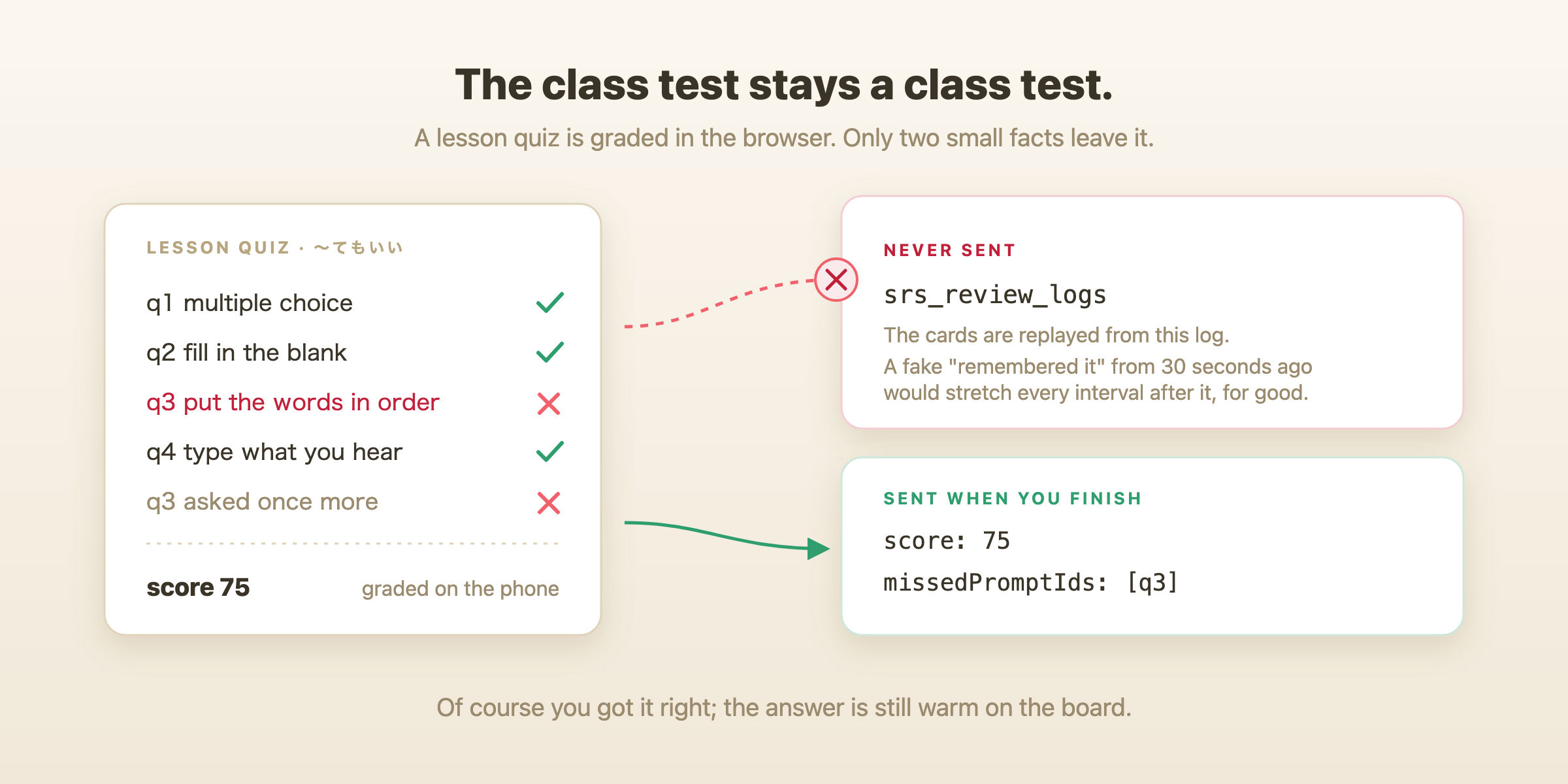
When you finish a lesson quiz, your answers are graded in the browser and never sent to the scheduler.
That sounds odd at first. You answered questions, so why not record them as reviews? Because of what a review means. A question answered thirty seconds after reading the explanation tells you nothing about whether you'll remember it next week. Of course you got it right; the answer is still warm on the board.
And in go that matters more than usual. The table of cards is not the truth. It's worked out from the review log replayed from the start. If a lesson wrote fake "you remembered this" entries into that log, every interval calculated after them would be stretched, permanently. The app would think you knew things you had met once, half a minute ago.
So the class test stays a class test. What does get sent when you finish is small: your score, and the list of questions you missed.
await completeLesson(slug, { score, missedPromptIds: [...missed.value] }, lang.code)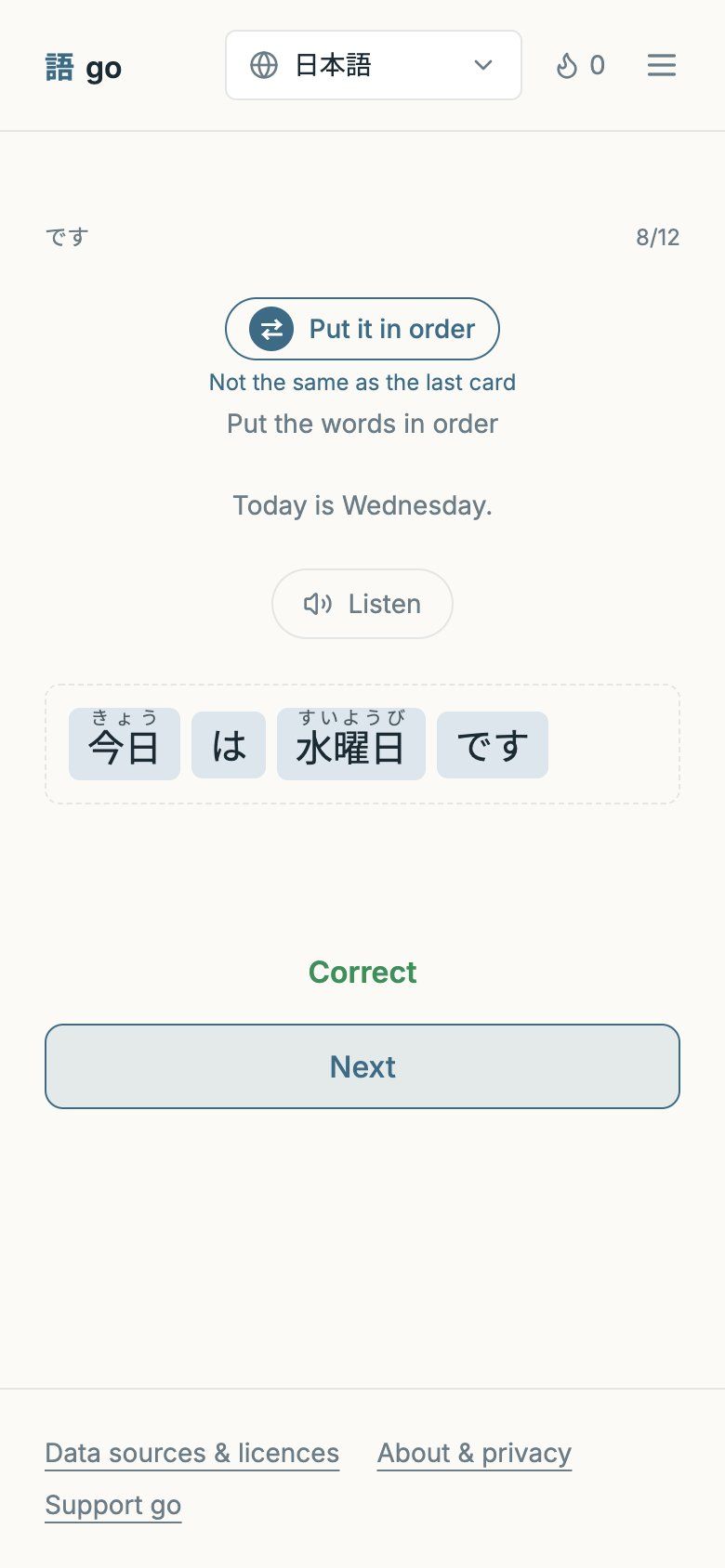
There's one more small rule in the quiz itself. A missed question is asked again before the lesson ends, the way Bunpo does it, but only once more. "Ask until it's right" sounds kinder and it's a trap: a typed question you genuinely can't answer becomes a loop with no way out except leaving, and the person who most needs to move on is the one held there. I found that by answering everything wrong on purpose and watching the lesson never end. Now it's two attempts, then the lesson carries on, and the miss is recorded either way.
The bug where nothing reached Review
The whole promise of the lesson flow was "learn it here, then Review keeps it". The done screen even said so. A few days after lessons shipped, I reported it twice from the app: "I promise you I have missed questions in lessons and they never show up". I was right both times.
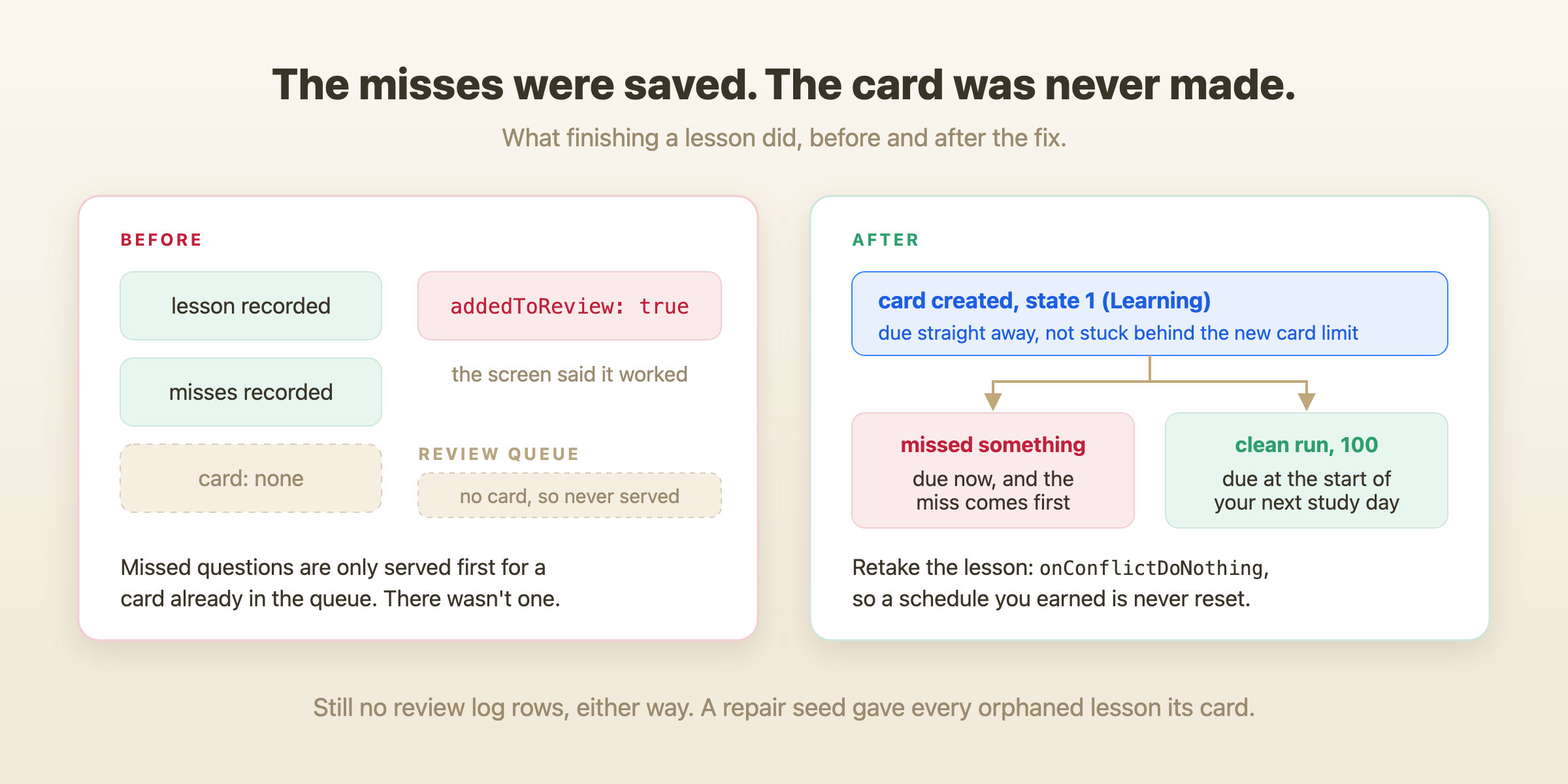
The finish function recorded the lesson, recorded the missed questions faithfully, and then returned addedToReview: true without creating anything. No card was made. A topic with no card is in nobody's queue, and the code that serves a missed question first only ever runs for a card that is already in the queue. So the misses were stored perfectly and could never come back, and the screen was told everything had worked. That's why nothing looked wrong.
Today, finishing a lesson creates the card:
// Anything missed and the topic comes back today; a clean run waits for the
// next study day. The score sets the first interval and nothing else.
const due = input.missedPromptIds.length > 0 || input.score < 100
  ? now
  : await nextDayBoundary(userId, now)
A few details in there are worth pointing at:
The card starts in state 1 (Learning), not 0 (New). That means it counts as due straight away, instead of waiting in line behind the day's limit on new cards.
A clean run waits until the start of your next study day, worked out in your own timezone and your own day boundary hour (Part 6 is all about that).
The insert is
onConflictDoNothing. Retaking a lesson must never reset a schedule you've already earned.Still no review log rows. Same reason as before.
A repair seed went out with the fix: every finished lesson that had no card got one, due now, since those lessons had been finished days earlier.
And the missed questions? When the topic comes round in Review, the question you got wrong is the one you get, not a random sibling of it. It stays that way until you answer it correctly, and missing it again in a later lesson reopens it.
Where the questions come from
So far I've talked about "every question on the topic" as if the questions just existed. Some did. But a lesson with one multiple choice question isn't a quiz. go already had templates for fill in the blank, put the words in order, and type what you hear. What it didn't have was anything to build them from.
Let me explain with a picture. Take a sentence written on a strip of card:
田中さんは先生です。 (Tanaka-san wa sensei desu, "Mr Tanaka is a teacher.")
To make a "put the words in order" question, you cut the strip into pieces, one word per piece, shuffle them, and ask the learner to put them back. To make a "type what you hear" question, you play the sentence and compare what they type against it. Both need to know where the words are.
In English that's easy, because there are spaces. Japanese has none. 田中さんは先生です is one unbroken run of characters, and deciding where one word stops and the next starts is a real job. A program that does it is called a tokeniser, and the pieces it cuts are tokens.
The example sentences in go come from two places. Some come from Tatoeba, a big public collection of sentences, and those arrive already cut: at the time, 1,826 sentences carrying 8,613 tokens between them. The rest are sentences written for go's lessons, and those had zero tokens. Nothing in the repo could cut a sentence we wrote ourselves, so every question derived from an authored sentence would have been generated from nothing.
One knife for the whole kitchen
The obvious move is to install a proper Japanese tokeniser. I didn't, and the reason is the most important idea in this section.
go already had a cutter. It's called glossLine, and it's what the lesson deck, the study card and the conversation lines all use to split a sentence into words you can tap for a meaning. If the quiz used a different tokeniser, it would cut differently. The word-order chips would stop matching the words you can tap in the lesson right above them, and you'd be dragging pieces that don't exist anywhere else on the page.
So the quiz uses the same knife. glossLine works by longest match against the dictionary. At each position it tries every dictionary word starting with that character, longest first, and takes the first one that fits:
// 1. An exact dictionary form, longest first.
const exact = candidates.find(form => text.startsWith(form, i))
That's why 食べる (taberu, "to eat") beats 食 on its own. When there's no exact match, it takes the kanji plus every kana after it and asks which dictionary word shares the most of it, which is how 食べて (tabete, the "and then" form) is recognised as 食べる.
Using the same knife had a lovely side effect. There was already a content checker, check:examples, that refuses any authored sentence glossLine can't cut cleanly. Since the quiz tokens now come from glossLine too, that checker doubled as the guarantee that the tokens are right.
When the knife shreds things
Longest match has a weakness, and it showed up straight away. When a word isn't in the dictionary, it isn't left alone. It gets shredded into whatever smaller pieces the cutter can match.
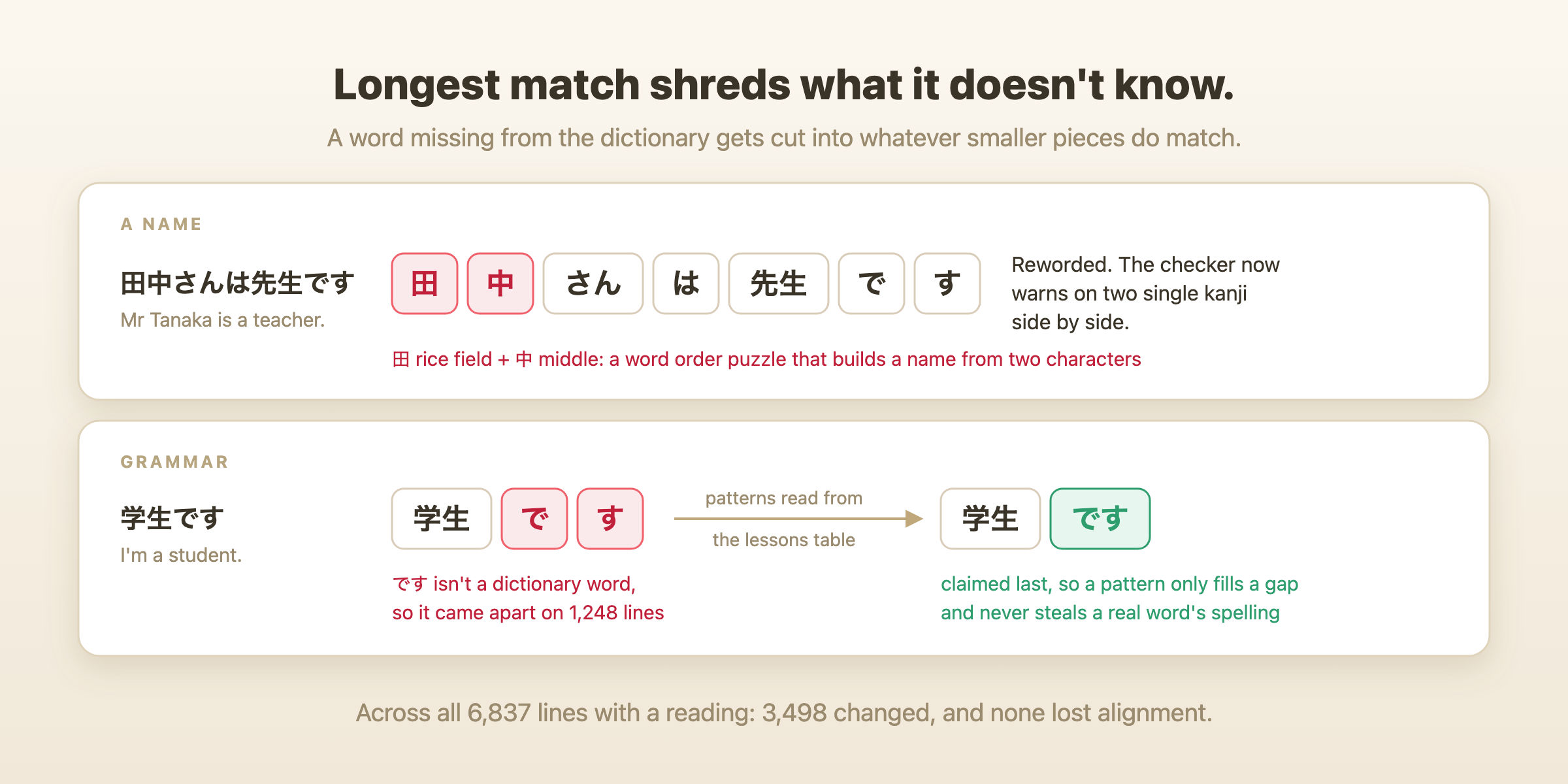
田中さんは先生です came apart as 田 | 中 | さん. 田 (rice field) and 中 (middle) are both real words on their own, so nothing looked broken. As a word-order puzzle it would have asked a beginner to assemble a person's name out of two characters. Three sentences were reworded, and the checker now flags two single kanji sitting side by side. A warning rather than a refusal, because two unrelated one-kanji words next to each other is ordinary Japanese too, and only a human can tell which is which.
Then there was grammar itself. Japanese grammar is mostly built from pieces that aren't dictionary words, and the dictionary go uses is a dictionary of words. です, ます, てもいい, なければなりません: none of them are in it. So 学生です (gakusei desu, "I'm a student") came apart as 学生 | で | す on 1,248 lines, and nine N5 topics couldn't have example sentences written at all, because a sentence teaching a pattern has to contain the pattern.
The fix was sitting in the database the whole time. Every lesson has a title and a pattern, and those are the forms. So the tokeniser now reads the grammar patterns from the lessons table and claims them last, after real words and conjugations, so a pattern can only fill a gap and never steal a spelling from a real word. A few rules came out of testing. Single characters aren't indexed, because claiming い and た made the checker think shredded text was fine. Trailing です and ます come off a pattern, because "つもりです" was swallowing the です that has its own lesson. Measured over all 6,837 lines that carry a reading, 3,498 changed and none lost alignment.
Small bugs with big consequences
Two more, quickly, because each one would have produced questions that looked right and weren't.
Tokens that linked to nothing. The first run wrote 155 tokens and 0 of them linked to a dictionary word. glossLine returns a word's form, reading and meanings, but deliberately no id, because it was made for a popover, not for joining tables. The id is what makes a token tappable and what the fill-in-the-blank generator reads to find its target. The fix looks each word up by its form. After that, 103 of the 155 linked, the rest being particles and punctuation.
Dictation that taught a misspelling. Typing what you hear first accepted only the kanji version, which at N5 tests your keyboard more than your ears. When kana answers were allowed, they couldn't come from the stored reading, because that reading is written as spoken: the particle は is pronounced "wa", so the stored reading has わ. Accepting it would have marked わたしわがくせいです correct and taught a spelling mistake. The kana answer is built from the tokens instead, which spell it as written: わたしはがくせいです.
One more thing made the chips feel right. glossLine still splits unknown kana into single characters, and です as two draggable chips, で and す, is a puzzle about the tokeniser. So when the chips are built, a lone unlinked kana is glued onto the chip before it, and 学生 | で | す becomes 学生 / です.
All of this ships the same way as the rest of go's content: as seeds that run on deploy, and that change nothing if they run twice. The tokens travel as SQL because production only runs migrations and seeds. If they had stayed in my local database, the derivation would have read an empty table in production, produced no questions, and recorded itself as done.
Lesson first, then words
The last piece came much later, in late October, and it's about order again.
By then the Today screen offered two kinds of new things every day: new words and lessons. They sat side by side, and it was easy to do the words and skip the lesson. But a lesson is what shows you how Japanese works, and words learned before that have nowhere to go. Knowing 食べる is nice; knowing how to say "I ate" with it is the point.
So now, until you finish a lesson (a kana row or a grammar topic) today, Today's "Learn today" block leads with it as step 1, and today's new words wait underneath as step 2:
1 · Today's lesson
2 · Today's words: new words open after today's lesson, so you know how to use them.
The server decides this with one small question: was a lesson finished today, in your own study day? If not, and there's a next lesson to take, it sends that lesson back as lessonFirst:
return done || !next ? null : { level: next.level, slug: next.slug, title: next.title, day }Three things keep it from becoming a padlock:
"Learn words anyway" opens the words for the rest of that study day on that device. Tomorrow the lesson comes first again.
Nothing waits when no lesson is left. Once you've taken them all, words are never held back.
Reviews are never held back. Review is the revision part of the classroom, and you should never be stopped from revising.
Back to the classroom
Put it all together and go now does what the teacher with the chalk did. The lesson teaches a topic with examples. The quiz checks it on the spot, and is kept out of the long-term record because a class test isn't an exam. Finishing it hands the topic to Review, with the questions you missed at the front of the line. And every day starts with a lesson before the words.
Next in the series is furigana, the small readings above the kanji you've seen all through this article, and why go works them out once at import instead of every time a page loads.
And thou shalt teach them diligently unto thy children, and shalt talk of them when thou sittest in thine house, and when thou walkest by the way, and when thou liest down, and when thou risest up. - Deuteronomy 6:7