The Features of 語go, and Why Each One Exists
go is a language-learning app that tries to explain why the language works the way it does. Here is every feature, told as the problem that made it necessary.
By Daniel Chiwuzoh ·
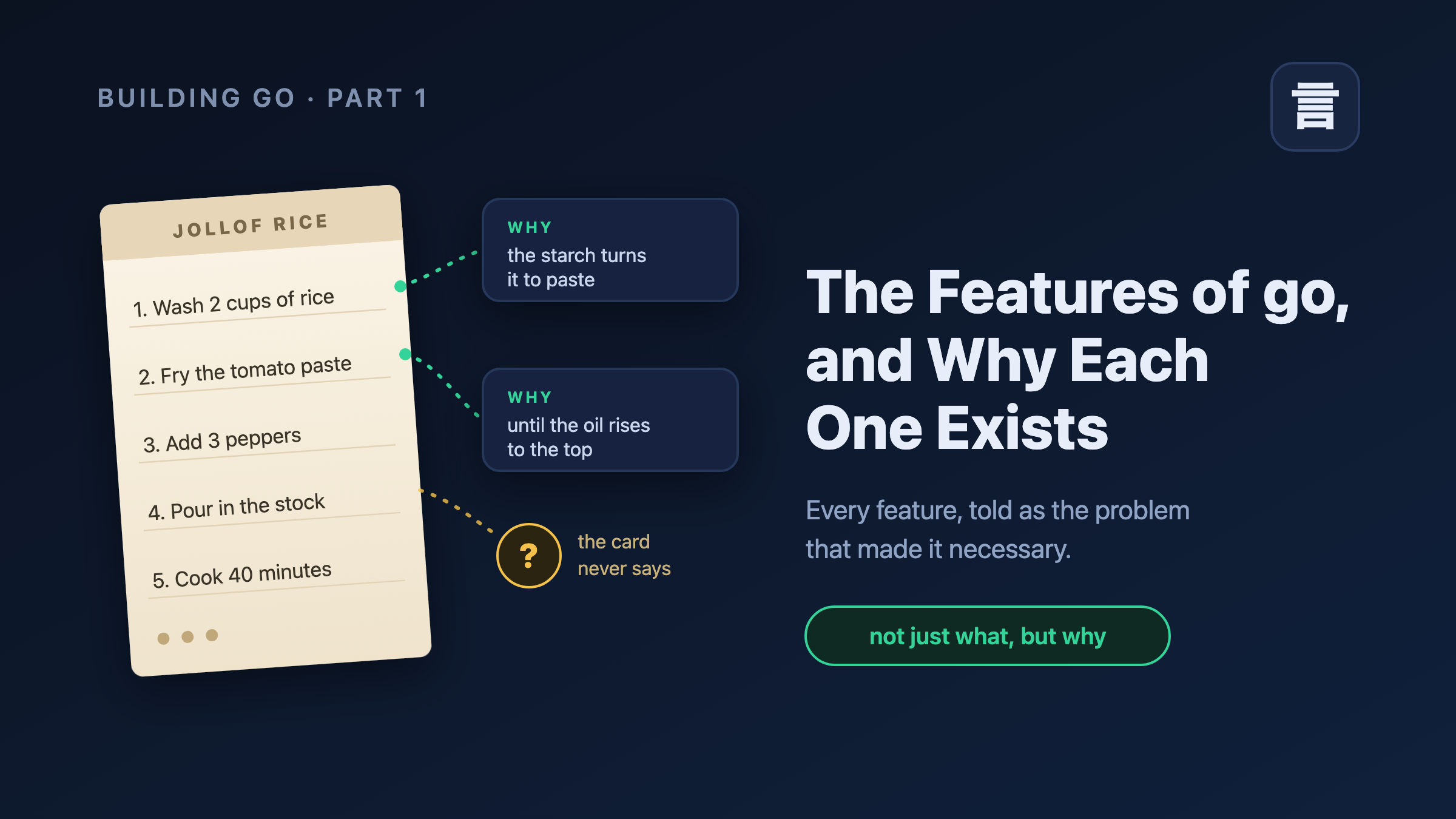
Think about two ways of learning to cook jollof rice.
The first is a recipe card. Two cups of rice, a tin of tomato paste, three peppers, meat stock, forty minutes. Follow it exactly and you'll probably get something edible. But the day the rice comes out soggy, the card has nothing to say to you. It never told you why you wash the rice, or why the tomatoes fry until the oil rises to the top, so you have no idea which step went wrong.
The second way is standing in a kitchen next to somebody who knows. They tell you to wash the rice until the water runs clear, because the starch is what turns it to paste. Every instruction comes with its reason attached, and after a few goes you don't need the card, because you can work the steps out yourself.
Most language apps are recipe cards. Very good ones, with streaks and sounds and nice animations, but they tell you what and almost never why. 〜てしまう (te shimau) means something got done, often with a feeling of regret. Fine. Where did that come from? Why does the kanji 山 (mountain) read やま (yama) on its own and サン (san) in 富士山 (Fujisan, Mount Fuji)? The card has no answer for that.
I wanted the kitchen version, so I built one.
So what is go?
The app is called go, from 語, the suffix that means "language". You see it at the end of 日本語 (nihongo, Japanese), 英語 (eigo, English) and フランス語 (furansugo, French). The repo is still called nihongo.futari and the app lives at nihongo.futari.live for now, but Japanese is the first course inside it, not its name; the database was built so other languages can follow.
It's a PWA (a progressive web app: a website you install on your phone's home screen that keeps working offline). The tagline on the front page says what it's for:
Learn a language, and learn why it works the way it does.
The first commit landed on 29 August 2026. Two months and about 310 commits later, it has lessons, reviews, a dictionary, a speaking course, a teleprompter, a crossword, a ghost boss, friends, and a fair amount of plumbing you hopefully never notice.
Rather than list those like a menu, I want to walk through each one as the answer to a problem that hurt first. The commit history is quite honest about which thing hurt.
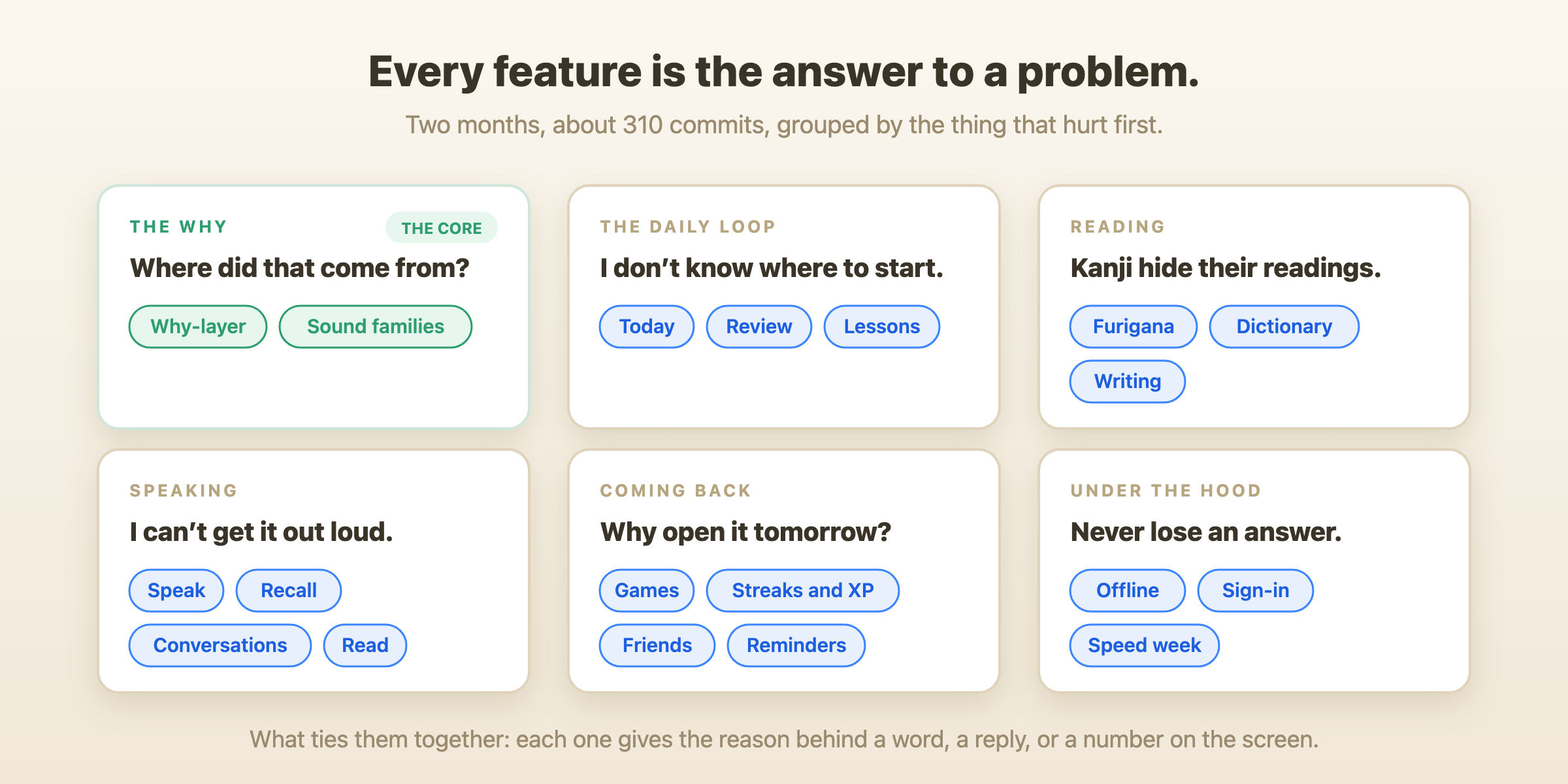
The why-layer
This is the feature the whole app is built around, so it goes first.
Every grammar topic in go can carry a note on where it came from: a sourced, cited explanation, with a confidence level and a marker for when scholars disagree. Even です (desu, the polite "is") is marked disputed, because specialists offer competing chains for how it formed, and the entry says so.
Learners love a good story about where a word came from, and a lot of those stories are made up: somebody looks at a kanji, sees a shape, invents a picture to remember it by, and a few years later that picture is being repeated as history. Invented memory aids (mnemonics) are genuinely useful. Passing them off as etymology is the problem.
So go keeps them apart. Sourced etymology and invented mnemonics are separate tables with separate UI, and a mnemonic is always labelled as invented. An etymology entry cannot be published without a source and a reviewer, and the database enforces that rather than anyone remembering to check:
publishNeedsSource: check(
  'etymology_publish_needs_source',
  sql`${t.status} <> 'published' or ${t.sourceCount} > 0`
),
publishNeedsReviewer: check(
  'etymology_publish_needs_reviewer',
  sql`${t.status} <> 'published' or ${t.reviewedBy} is not null`
),
Whatever the code tries to do, Postgres will reject a published row with no source or no reviewer.
The layer now covers all 355 grammar topics. Most entries were drafted with a model's help, then checked by another model told to falsify each claim rather than confirm it. Across six passes, 328 were checked and 164 corrected. Half of everything written. How that works is in the parts on the why-layer and on the content pipeline.
Sound families
Here's a "why" that saves a lot of memorising.
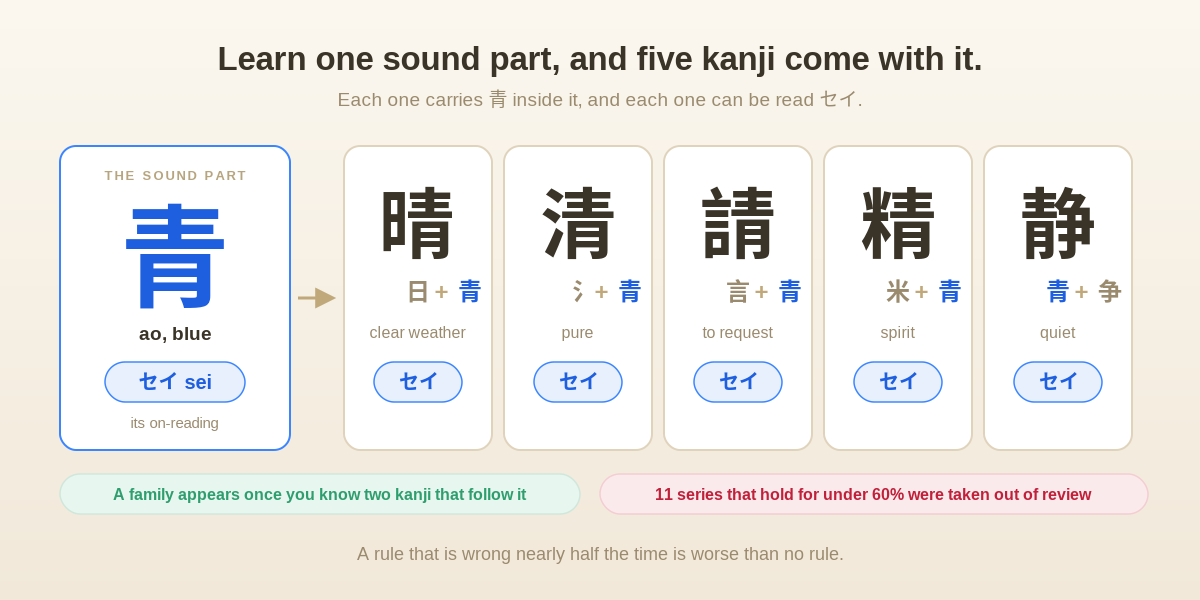
Many kanji are built from two parts: one that hints at the meaning and one that hints at the sound. Take 青 (ao, blue), which has the on-reading セイ (sei). Once you know that, a whole family becomes predictable: 晴 (clear weather), 清 (pure), 請 (to request), 精 (spirit) and 静 (quiet) all carry 青 inside them, and all can be read セイ. That's five kanji you no longer learn as five separate things.
go derives these families from two open datasets (CHISE and KANJIDIC), shows each kanji split into its parts with the sound part marked, and only introduces a family once you already know two kanji that follow it. The eleven series that hold for under 60% of their kanji were taken out of review, because a rule that's wrong nearly half the time is worse than no rule. That's its own part, on sound families.
Today and Review
Now the daily loop.
Early on, go had a deck picker: you opened the study page and saw kana, words, kanji, grammar, sentences. The note in my backlog at the time was "I don't know where to start, I am just seeing a bunch of categories", and that was fair.
Worse, the numbers disagreed with each other. The course page said "stage 2" while Study said "stage 3", because one counted items and the other counted cards. The fix was a commit titled "Make every number on screen mean one thing", and one function, stageRollup(), that is now the only place allowed to say what a stage contains.
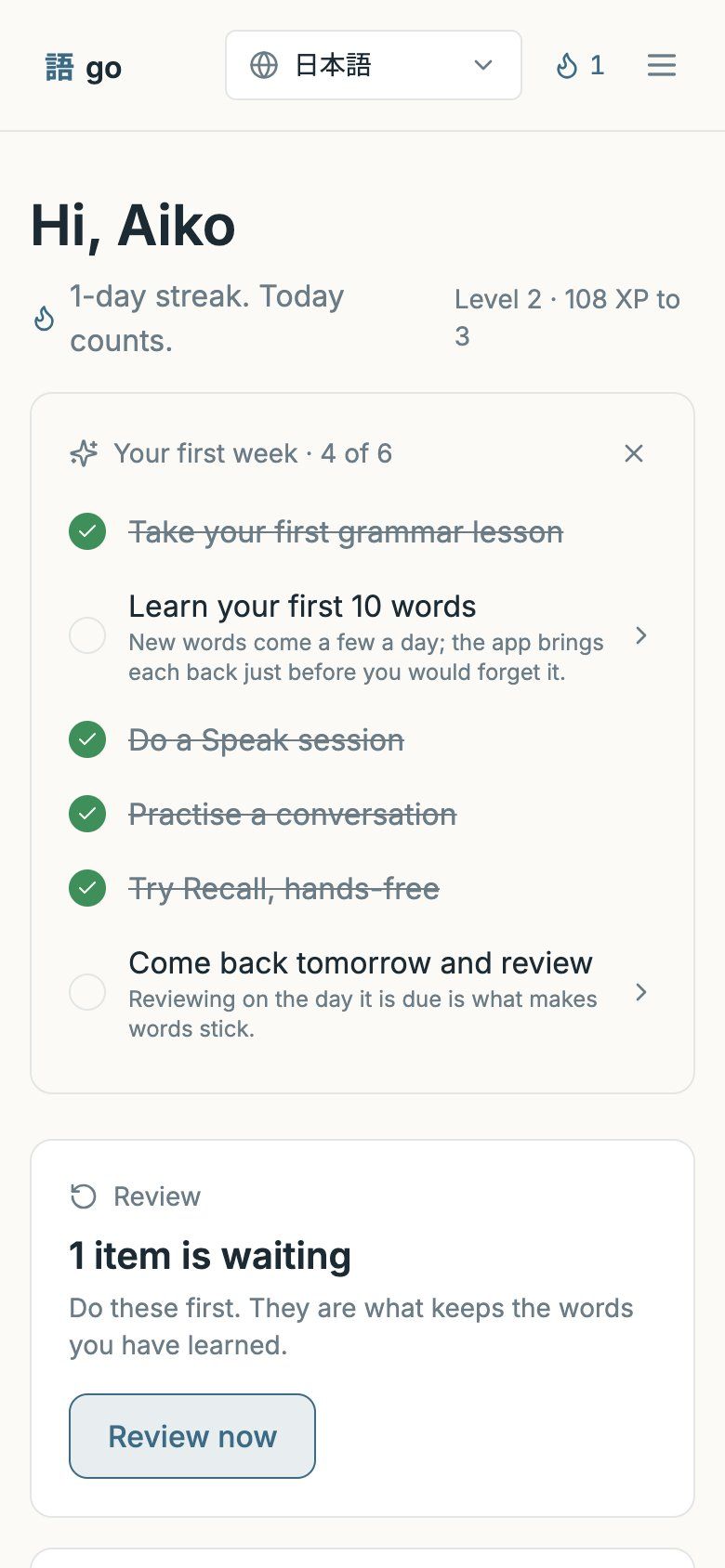
Today answers "where do I start": one screen with reviews that are due, today's new words, the next lesson, the next Speak session, today's crossword, your streak and your level. Review is the other half: everything the scheduler wants back, behind a Start reviewing button.
The scheduler is FSRS (a modern spaced repetition algorithm, via the ts-fsrs library). The interesting part is where the truth lives: the log of every review you've ever done is the source of truth, and the card you see is a cache folded from that log. That one decision is what lets the app work offline, sync late, and never lose an answer. It gets a whole part, on the review log.
Lessons: teach, then quiz
The first version of go was all quiz. A card would ask you for いちばん (ichiban, number one) when you had never met the word. That's a guess, not a test of memory, and getting it wrong teaches nothing because there was nothing there to remember. The scheduler assumed an introduction had happened somewhere, and no screen ever performed one.
So two things changed. First, a card you see for the first time now opens on itself: the word, its reading, its meaning, the audio, and a button to move on to the question. Second, I wanted proper lessons, the kind where you learn something and are then quizzed on it. My first attempt buried them inside the grammar reference, which was not what I asked for. I wanted study lessons, not a grammar reference. 😅
A lesson teaches one topic with example sentences, quizzes you on it, then hands the topic to Review to keep. The quiz is graded in the browser and never sent to the scheduler, because a question answered thirty seconds after reading the explanation says nothing about next week. Since late October, one lesson a day also comes before the day's new words, so the words have somewhere to go. The quizzes are generated from the example sentences themselves, by a tokeniser that cuts each sentence into words. That story is the part on lessons.
Readings above the kanji
If you're new to Japanese, here's what makes it hard to read: kanji don't tell you how to say them. So learners lean on furigana, small kana printed above a kanji to give its reading, like 日本語 with にほんご on top.
go can show furigana over every kanji, only over the kanji you don't know yet, as romaji (Japanese in Latin letters) if you'd rather, or not at all. The default for a new learner is a fifth option: the kanji are spelled out in hiragana entirely, so every line is readable from day one. Typed answers accept romaji too. The card used to show ご飯 as "gohan" and then mark "gohan" wrong, which is the app contradicting itself, and taking romaji also means you don't need a Japanese keyboard on your phone.
The hard bit is putting the reading over the right characters: に over 日, ほん over 本 and ご over 語, and harder again with verbs that change their endings. go works this out once, when the content is imported, never while the page is drawing.
The dictionary
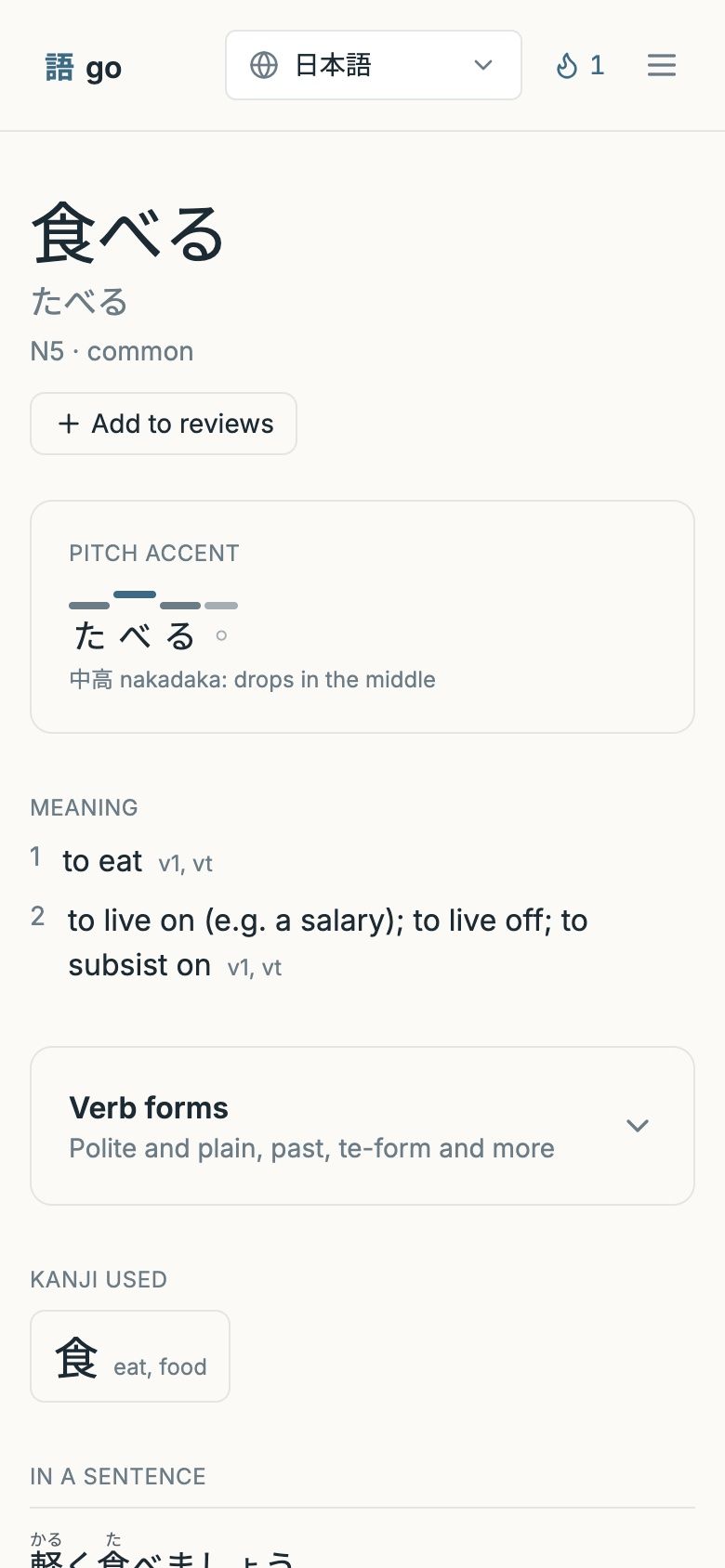
Words in go are tappable. Tap one in a lesson, a speech, a conversation or a Speak session and you get its meaning; one more tap opens a sheet over the bottom half of the screen with the full entry: readings, meanings, pitch accent (how the voice rises and falls across the word), kanji, example sentences, and a table of how a verb or adjective changes form.
The dictionary page searches words, kanji and grammar from one box. Every gloss comes from JMdict, the open Japanese-English dictionary, credited on the attribution page. There are 8,240 words and all 2,136 jōyō kanji (the official list of kanji for everyday use) in there.
Writing
Kanji are written in a fixed stroke order, and learning it is how your hand eventually remembers the character. The writing page shows the order on a dotted outline, marks only the stroke that comes next (every number at once was a pile of overlapping markers), grades your attempt in the browser against reference strokes, and lets you practise one row of kana at a time. Its most recent fix was that a stroke which turns a corner now reads as one stroke, not two. That's the part on writing.
Practice: Speak, Recall, Conversations, Read
Reviews keep words in your head. Practice is for getting them out of your mouth.
Speak is a build-up course in the style of Michel Thomas: hear it in English, say it in Japanese, then hear it said. Each prompt is the last answer plus one small piece, so the sentence builds itself. There's a Course and a set of Stories with a narrator, two teacher voices, and a pace you can set.
Recall takes your shaky words (still learning, keep slipping, recently missed) and plays them hands-free: the English, a silence for you to say it, then the Japanese. It never writes a review, it just keeps them warm. It shares a part with shadowing, where you record yourself saying a line from a conversation and see your pitch curve drawn against the speaker's. The pitch is tracked on the phone and the recording is never uploaded.
Conversations are a hundred scripted exchanges across eighteen everyday scenarios: shopping, the doctor, the station, phone calls. The script is fixed so the app can know your answer is right, and when you pick a wrong reply, it tells you why it was wrong. The database won't let a wrong reply exist without a reason attached.
Read is a teleprompter. Short first-person speeches, N5 to N1 (the levels of the JLPT, the Japanese Language Proficiency Test, N5 easiest and N1 hardest), scroll up the screen at your own speed while you read them aloud. Each one tells you what percentage of its words you already know.
Speak and Read each get their own part. All of this is audio, and audio on an iPhone is its own little war. I hope you're still with me, because that one has its own part too.
Games
The games page has six:
Crossword: a 5x5 kana crossword built from the words you know, with a puzzle of the day.
Listening: おばさん (obasan, aunt) or おばあさん (obaasan, grandmother)? Hear a word and pick which it was.
Verb forms: put verbs you know into the forms you choose.
Particles: pick the particle a sentence needs, from 239 questions over the 25 N5 particle lessons.
Build a kanji: put kanji together from their parts.
Ghost boss: the cards that keep slipping, once a week.
The crossword and the ghost boss each get a part of their own. The rest share the part on games.
Streaks, XP and friends
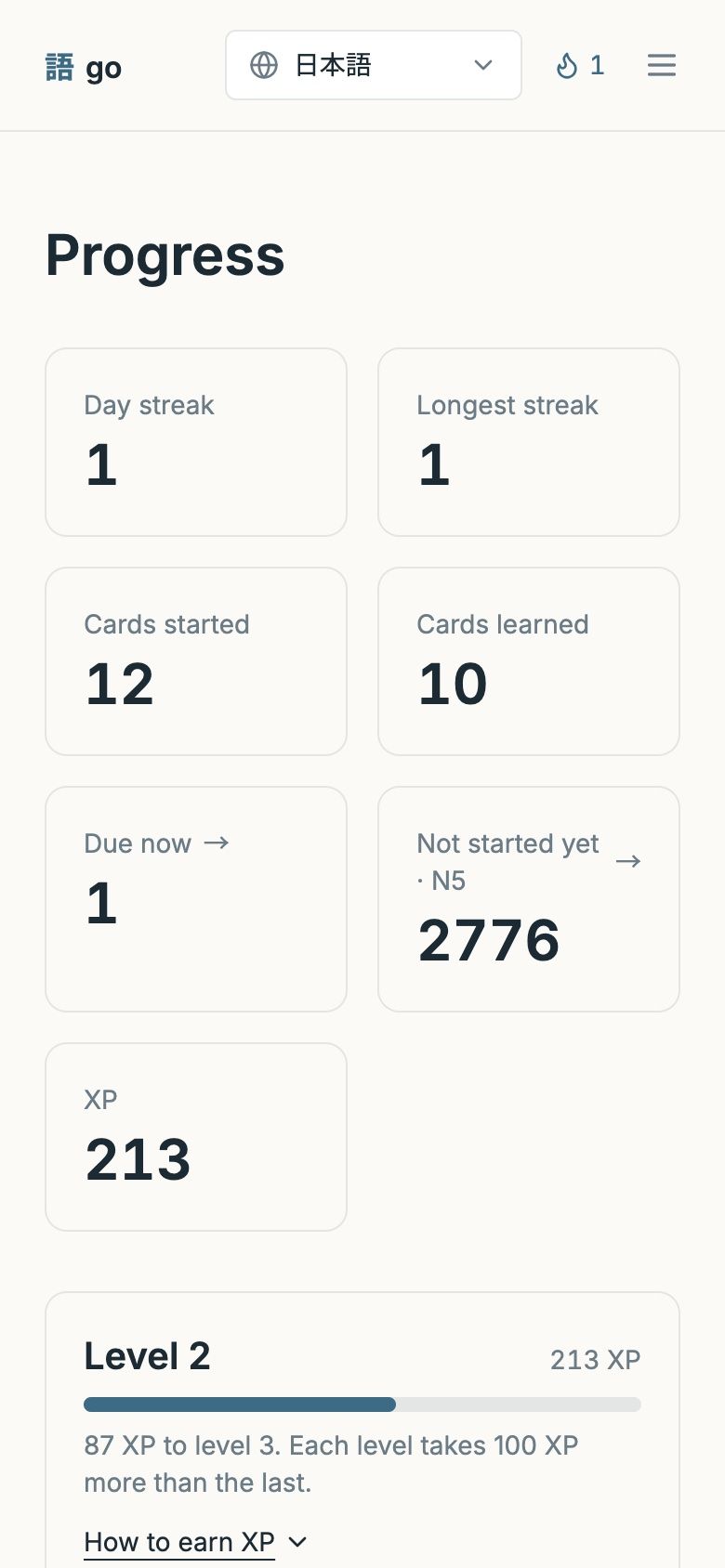
go has XP, levels, streaks, streak freezes you earn rather than buy, achievements, daily quests and a little celebration every five right answers in a row. Every one of those numbers has to be replay-safe: if the same review reaches the server twice (which happens when you go offline and back), nothing gets counted twice. That's the part on streaks.
Friends are off by default. Turn them on in Settings and you get a code to share; there's no search, so nobody can find you unless you gave them the code. Each thing you share is its own switch, and words, accuracy and ghosts are never shared. The weekly board ranks by days studied, with XP only to break ties. That's the part on friends.
Your day, and reminders that fire
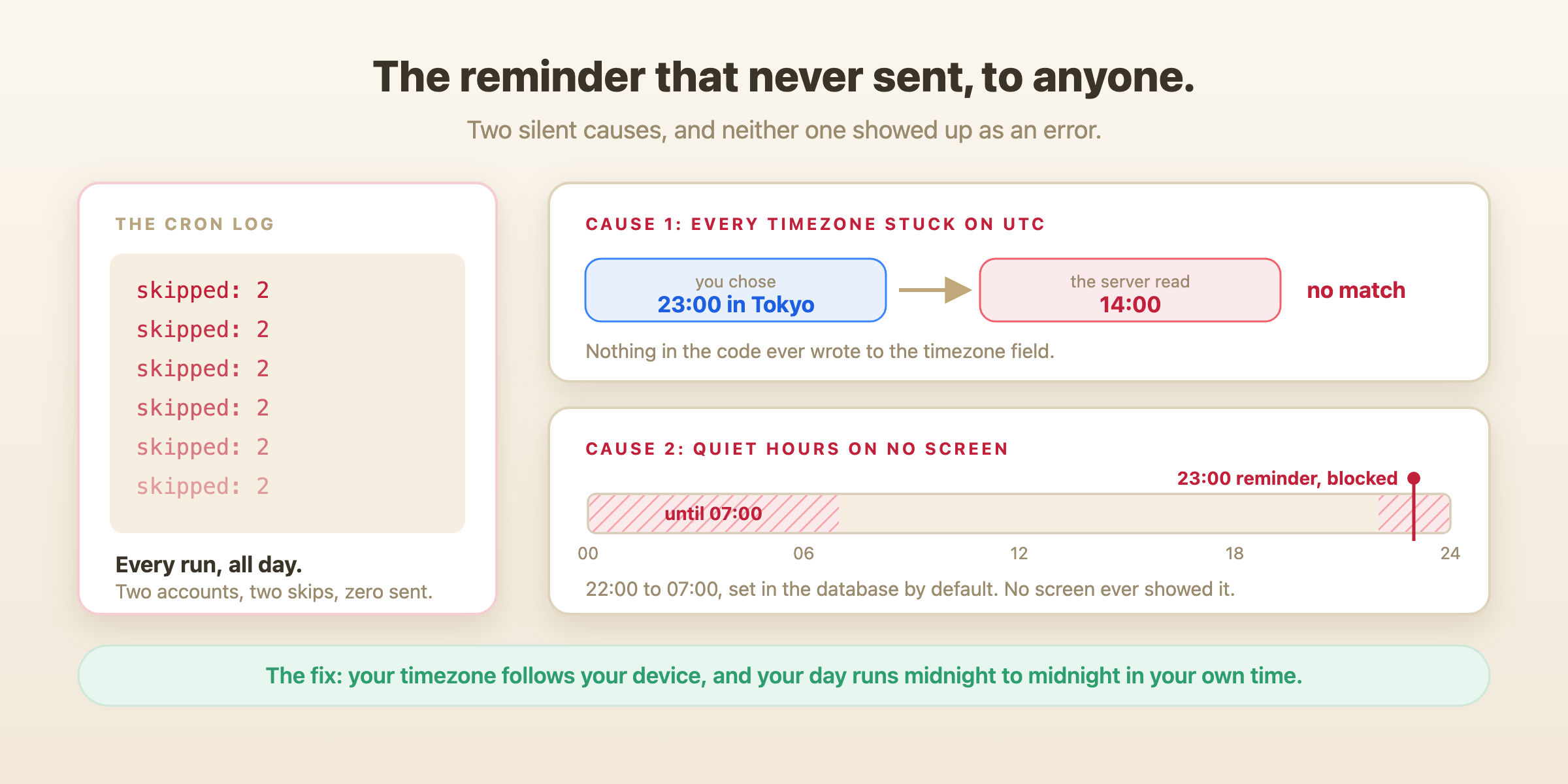
Here's one that hurt. go sends a daily reminder by email and, where the phone allows it, by push notification. For a while it had never sent one to anyone. Say you have 2 users the cron log said skipped: 2 on every run, all day, for both accounts.
There were two causes, both silent. The user's timezone was stuck on UTC, because nothing in the code ever wrote to that field, so 23:00 in Tokyo read as 14:00 and the chosen hour never matched. And a quiet-hours window, 22:00 to 07:00, sat in the database by default and on no screen, so a late evening reminder (the most obvious time to study!) could never fire.
The app now keeps your timezone in step with your device, so it follows you when you travel, and your study day runs midnight to midnight in your own time unless you pick a later hour. The part on your day covers all of it, including why a timezone stuck on UTC would have broken every streak.
Offline
A language app gets used on the bus, on the Tube, on a plane. go works offline: answers are saved on the phone and sent when the connection comes back, a review is dated by when you answered it rather than when it reached the server, and a small pill in the header says when you're offline or an answer failed to send. New versions arrive by themselves, at a moment that won't drop anything you were in the middle of. That's the part on offline.
Getting in
There's one sign-in for everyone. The default is passwordless: type your email, get a six-digit code. A password still works if you prefer one. Signup is a policy (closed, invite-only, or open), checked in the one place every signup path passes through. In late October I got it ready for open signup with a bot check, caps on email, and a way to delete your account. That's the part on sign-in.
New accounts also get a minute of questions on the way in: where you're starting from, how long a day you have, how you want Japanese shown, and for anyone who has studied before, a short placement check that stops at the first level that gets hard. The answers set your level, pace and reading aids, and Today shows a first-week guide built from them.
The short version
Most of go is ordinary: flashcards, lessons, a dictionary, a crossword, a streak. What's different is that it keeps giving the reason behind things: why a word reads the way it does, why a reply was wrong, what the number on the screen is counting. The code follows the same idea, with a review log that is never thrown away and a database that refuses to publish what nobody checked.
Next up is lessons, where all of this starts for a new learner: teach a topic, quiz it, then let Review keep it. 📚
Wisdom is the principal thing; therefore get wisdom: and with all thy getting get understanding. - Proverbs 4:7